
Managing Landlord and Tenant Matters Tabs
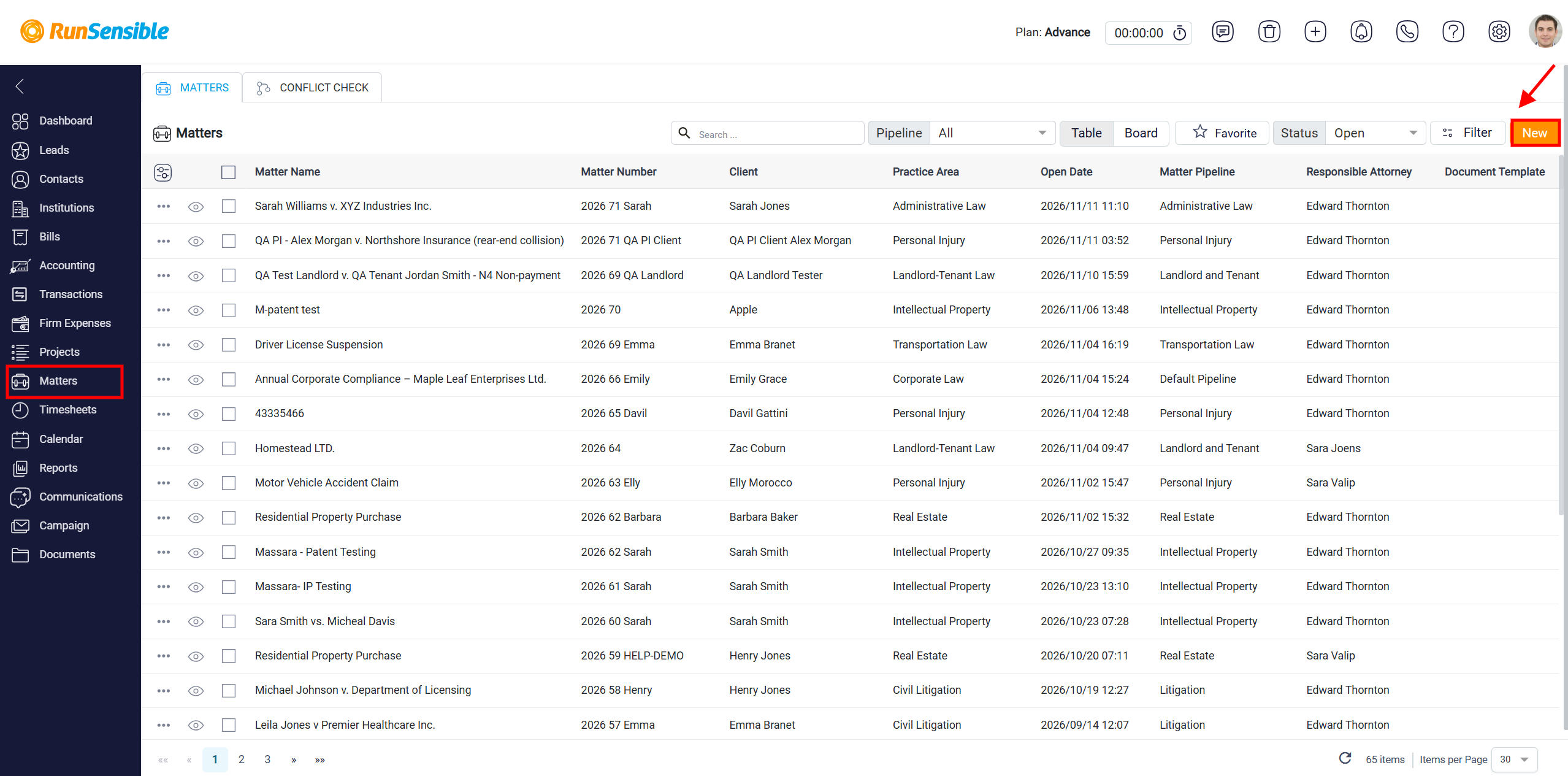
To create and manage a Landlord and Tenant matter in RunSensible, navigate to the Matters section from the left-hand navigation menu. This will open the Matters page, where you can view and manage all existing matters in your account. The Matters page displays a list of matters along with important information. Click the New button in the upper-right corner of the Matters page.
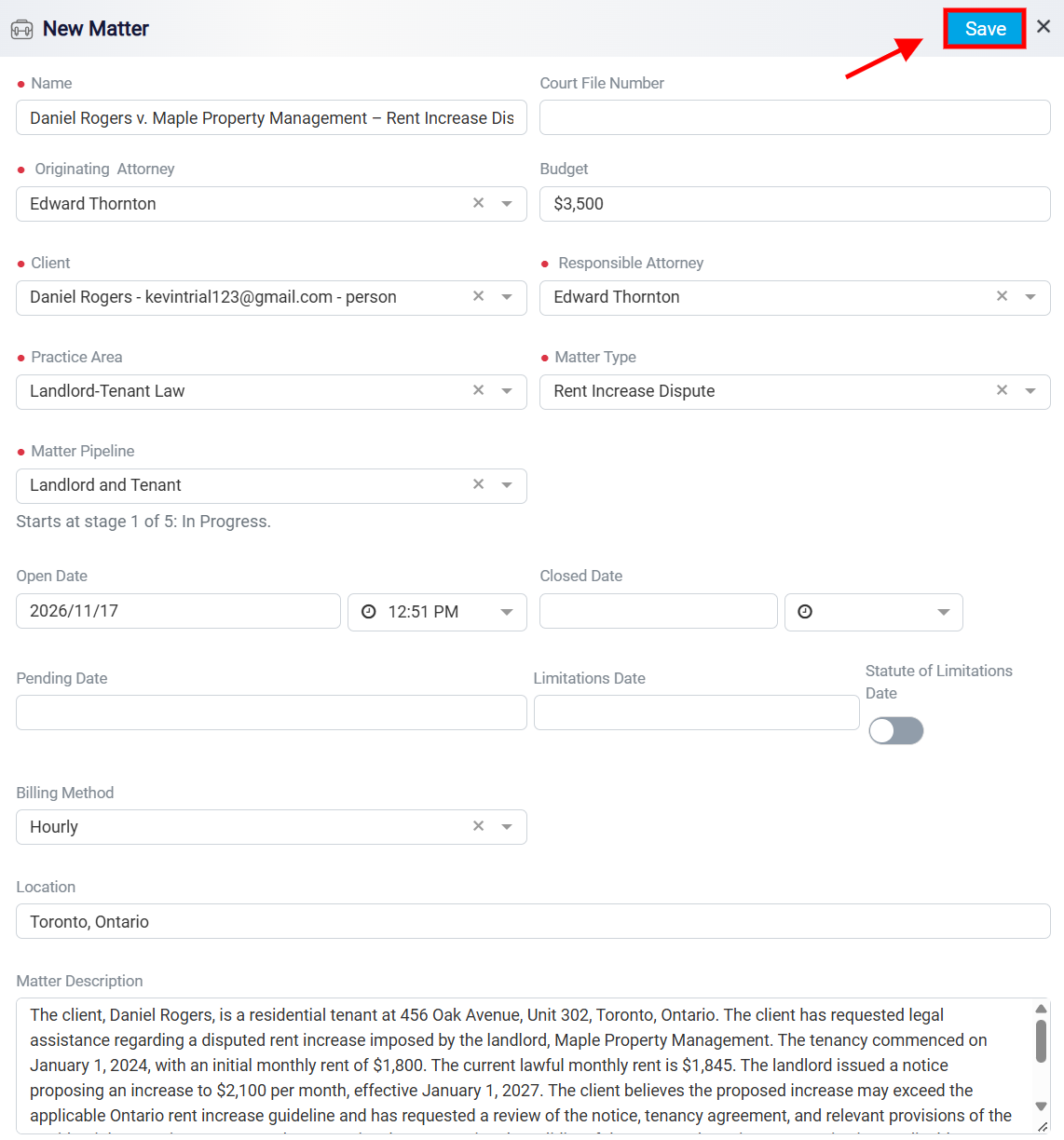
This will begin the process of creating a new matter in RunSensible. After clicking the New button on the Matters page, the New Matter window will appear. This window allows you to enter the essential information needed to create and manage a Landlord and Tenant matter in RunSensible.
Once you have created a Landlord and Tenant matter in RunSensible, open the matter from the Matters page. The matter dashboard will appear, displaying important information such as the matter name, client, matter number, responsible attorney, current stage, and matter status.
To access the features specifically designed for Landlord and Tenant matters, click the Landlord-Tenant Law tab. This tab provides dedicated tools to help you organize tenancy information, track rental disputes, manage legal proceedings, and monitor the progress of the matter.
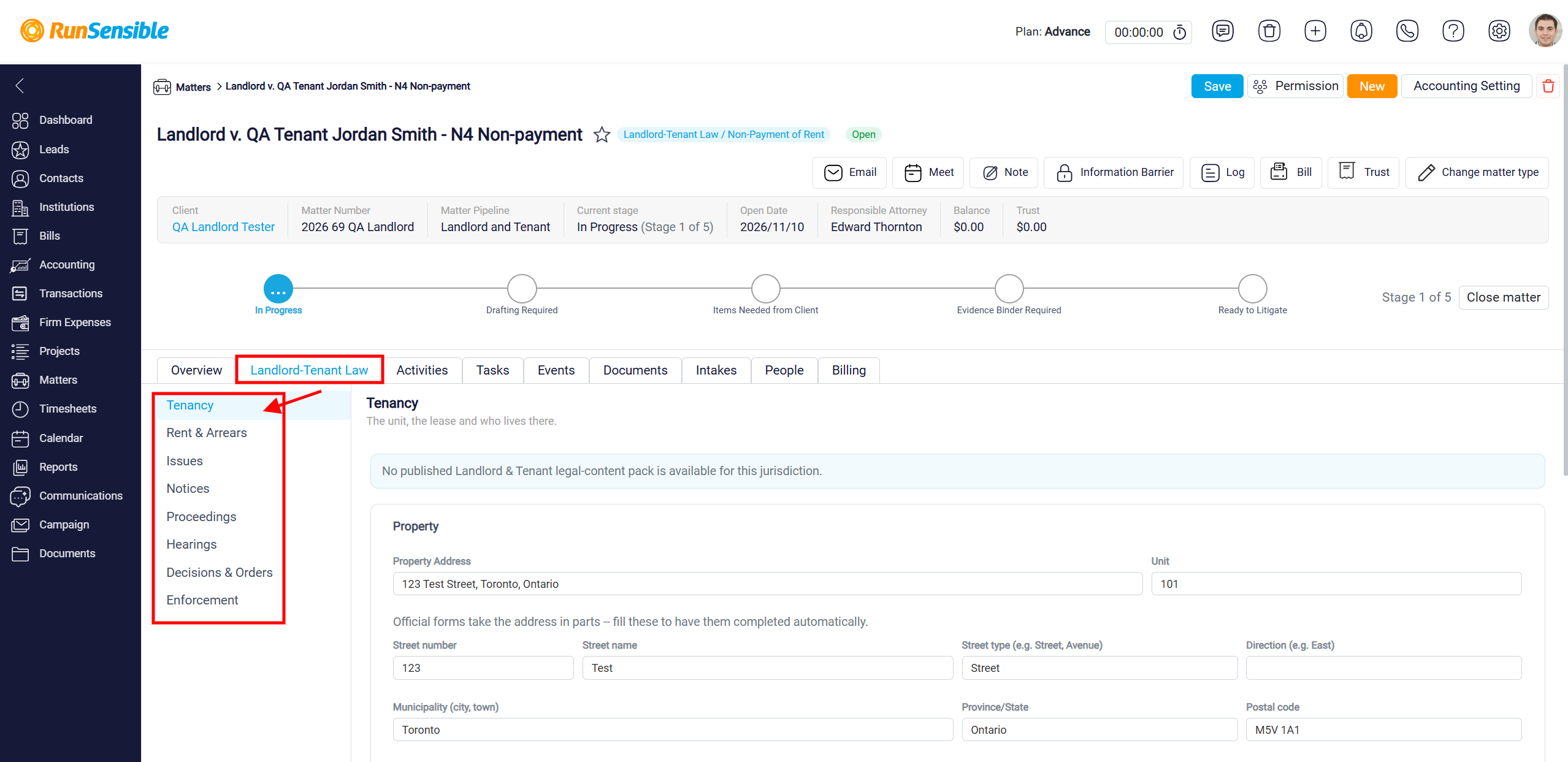
On the left-hand side of the Landlord-Tenant Law tab, you will find several sections, each designed to manage a different aspect of the case:
-
Tenancy: Record and manage rental property information, lease agreements, tenancy terms, rent amounts, deposits, and other relevant tenancy details.
-
Rent & Arrears: Track rental payments, outstanding rent, and arrears associated with the tenancy.
-
Issues: Record and organize legal issues or disputes between the landlord and tenant, including rent-related concerns, maintenance problems, or lease violations.
-
Notices: Manage notices issued or received during the tenancy, including notices related to non-payment of rent, termination, or other tenancy matters.
-
Proceedings: Record and track legal proceedings associated with the dispute, including applications and related case information.
-
Hearings: Organize hearing information, including scheduled dates and details related to the proceedings.
-
Decisions & Orders: Record decisions and orders issued by the relevant tribunal or court, allowing you to track the outcomes of legal proceedings.
-
Enforcement: Track actions taken to enforce decisions or orders, including relevant enforcement activities and their status.
To manage information within a particular section, simply click the corresponding option in the left-hand menu. The selected section will open on the right-hand side, allowing you to enter, review, or update the relevant details.
These dedicated sections help you keep all important Landlord and Tenant case information organized in one place, making it easier to manage disputes, monitor case progress, and maintain accurate records throughout the matter.