
Adding and Managing Issues in Landlord and Tenant Matters
The Issues section in RunSensible allows you to record, organize, and track complaints or disputes arising during a tenancy. These may include non-payment of rent, property damage, maintenance concerns, lease violations, or other disagreements between landlords and tenants. This feature helps legal professionals maintain detailed records of each issue, identify the grounds for a complaint, document relevant facts, and track its resolution.
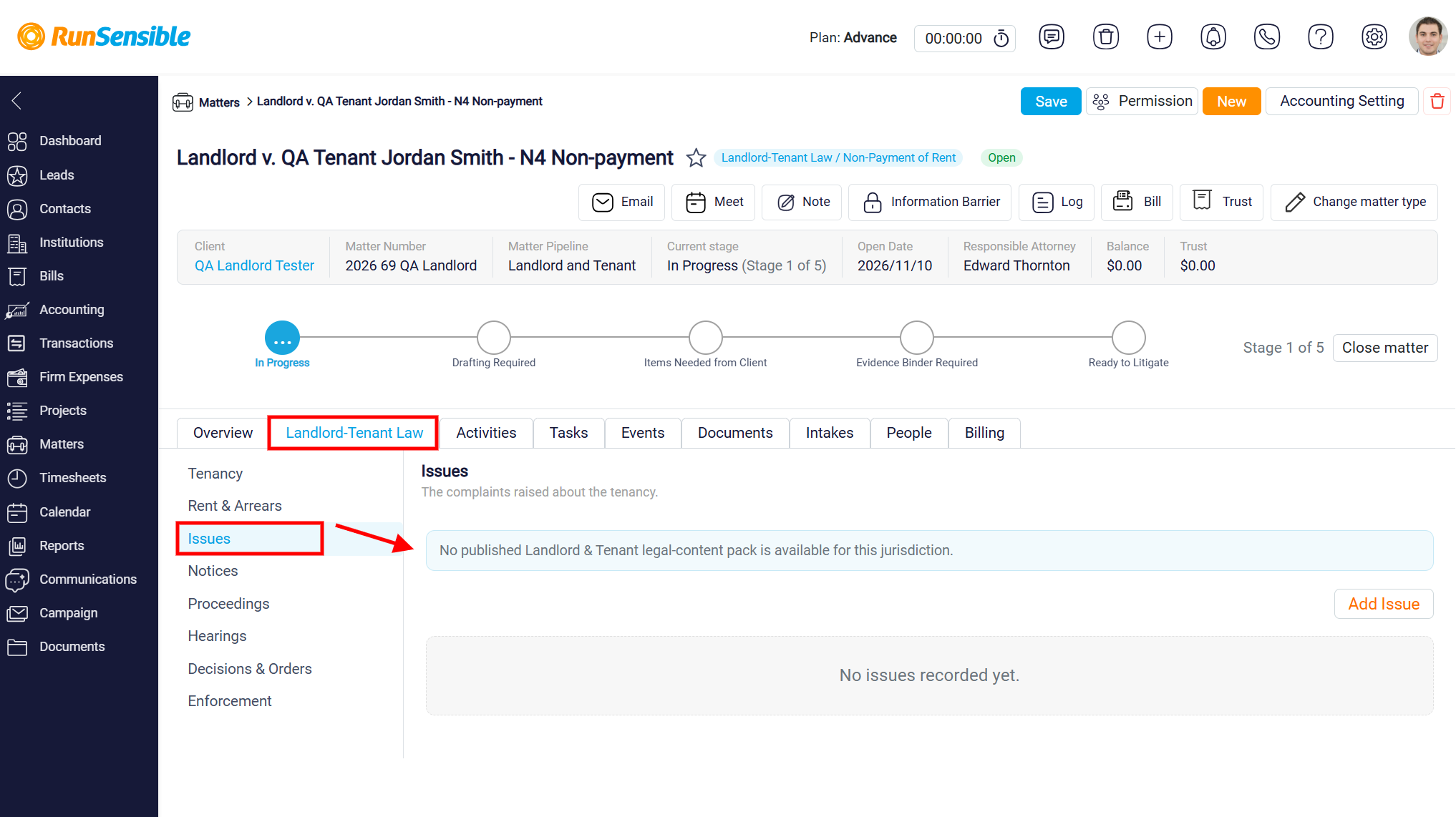
To access this section, open the relevant Landlord and Tenant matter, select the Landlord-Tenant Law tab, and click Issues from the left-hand menu. The Issues page will appear, displaying any previously recorded issues. If no issues have been added, the message No issues recorded yet will be displayed.
To record a new issue, click the Add Issue button. 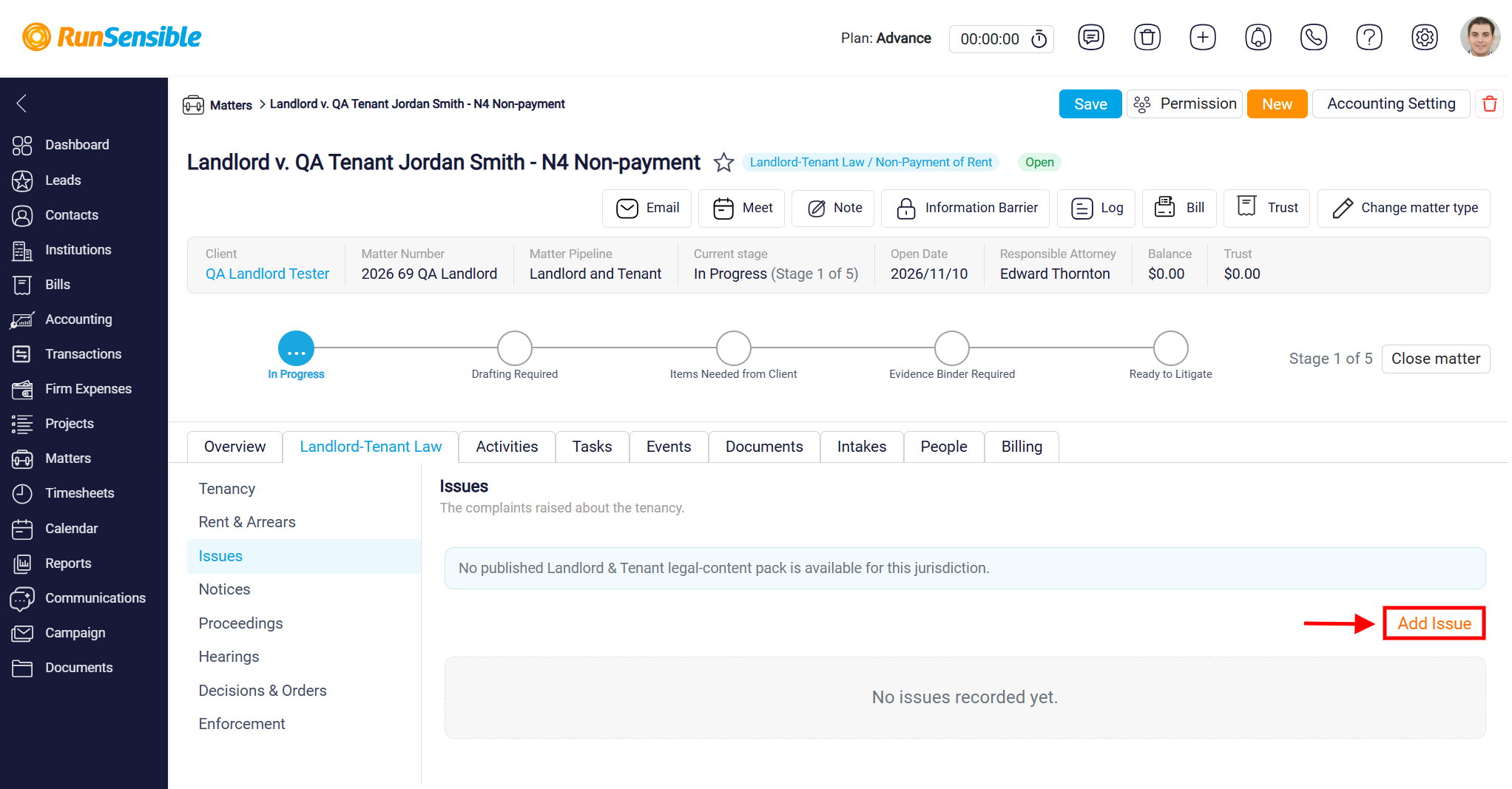
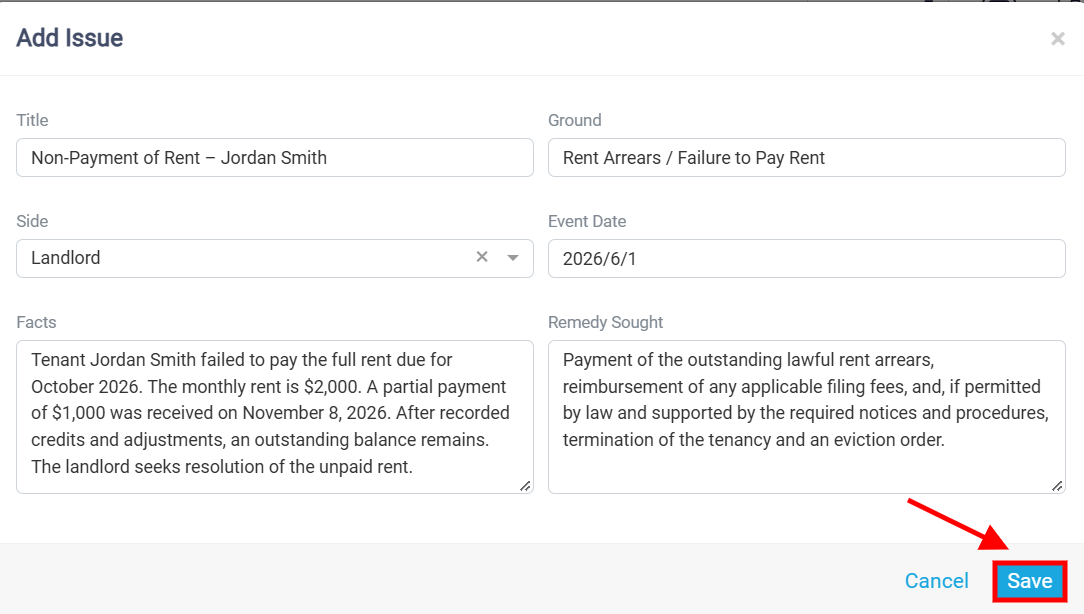
The Add Issue window will appear, allowing you to enter the relevant details. In the Title field, provide a clear and descriptive name for the issue. Next, use the Ground field to specify the reason or legal basis for the complaint, such as rent arrears or failure to pay rent. In the Side field, select whether the issue relates to the Landlord or Tenant, and use the Event Date field to indicate when the issue occurred. In the Facts field, provide a detailed explanation of the circumstances, including relevant events, dates, and supporting information. Finally, use the Remedy Sought field to describe the outcome or relief being requested, such as payment of outstanding rent, compensation for damages, or termination of the tenancy where permitted by law. Once all the necessary information has been entered, click Save to record the issue or Cancel to close the window without saving.
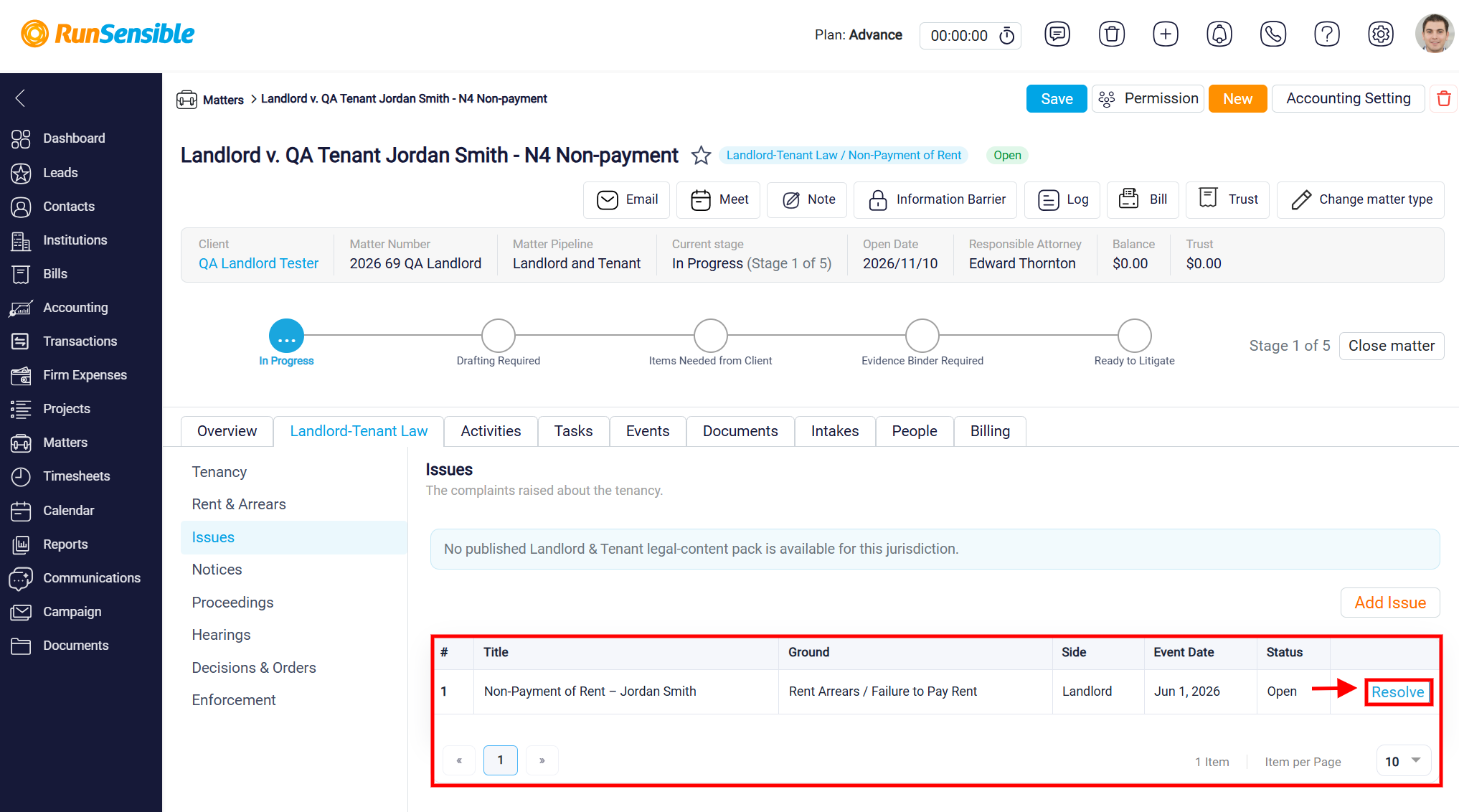
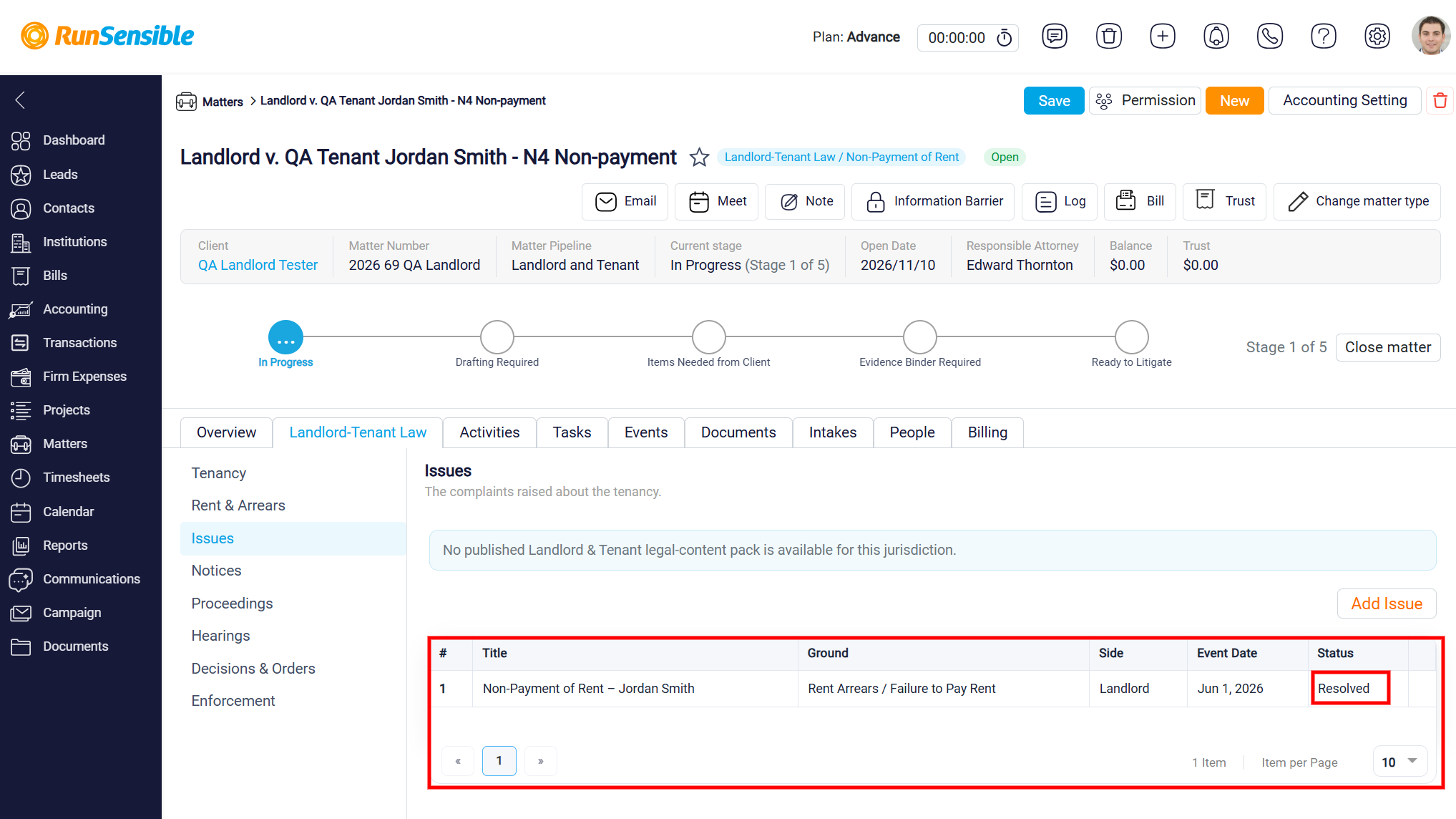
Once an issue has been saved, it will appear in the Issues table. The table displays the Title, Ground, Side, Event Date, and Status of each recorded issue. These details allow you to review complaints associated with the tenancy, identify the party involved, and monitor whether an issue remains outstanding or has been resolved.
Newly recorded issues appear with an Open status, indicating that the matter has not yet been resolved. To mark an issue as resolved, locate the relevant entry in the table and click Resolve.
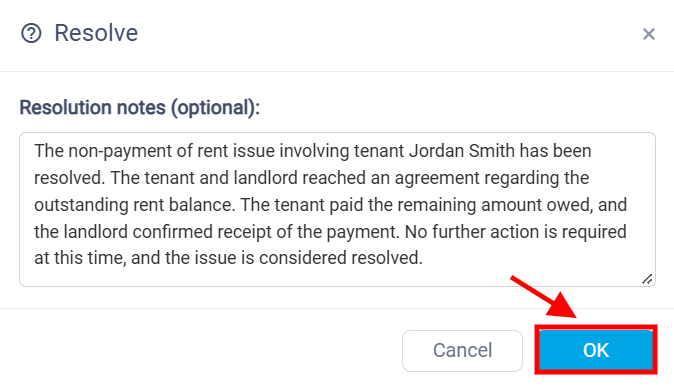
After clicking Resolve, the Resolve window will appear, allowing you to enter Resolution Notes (optional). Use this field to document how the issue was resolved, including any agreements reached between the landlord and tenant, payments received, corrective actions taken, or other relevant outcomes. For example, if the issue involved unpaid rent, you can record that the tenant paid the outstanding balance and the landlord confirmed receipt of payment.
Once the resolution details have been entered, click OK to confirm the resolution or Cancel to close the window without making changes.
After confirming the resolution, the issue’s Status will change from Open to Resolved in the Issues table. This allows you to distinguish between outstanding and resolved complaints and maintain a clear record of how tenancy-related disputes have been addressed.
You can also click Add Issue to record additional complaints or disputes associated with the same matter. Keeping issue records updated helps legal professionals monitor tenancy-related concerns, document important developments, and maintain an organized history of disputes and their resolutions.