Managing Tenancy and Property Details in Landlord and Tenant Matters
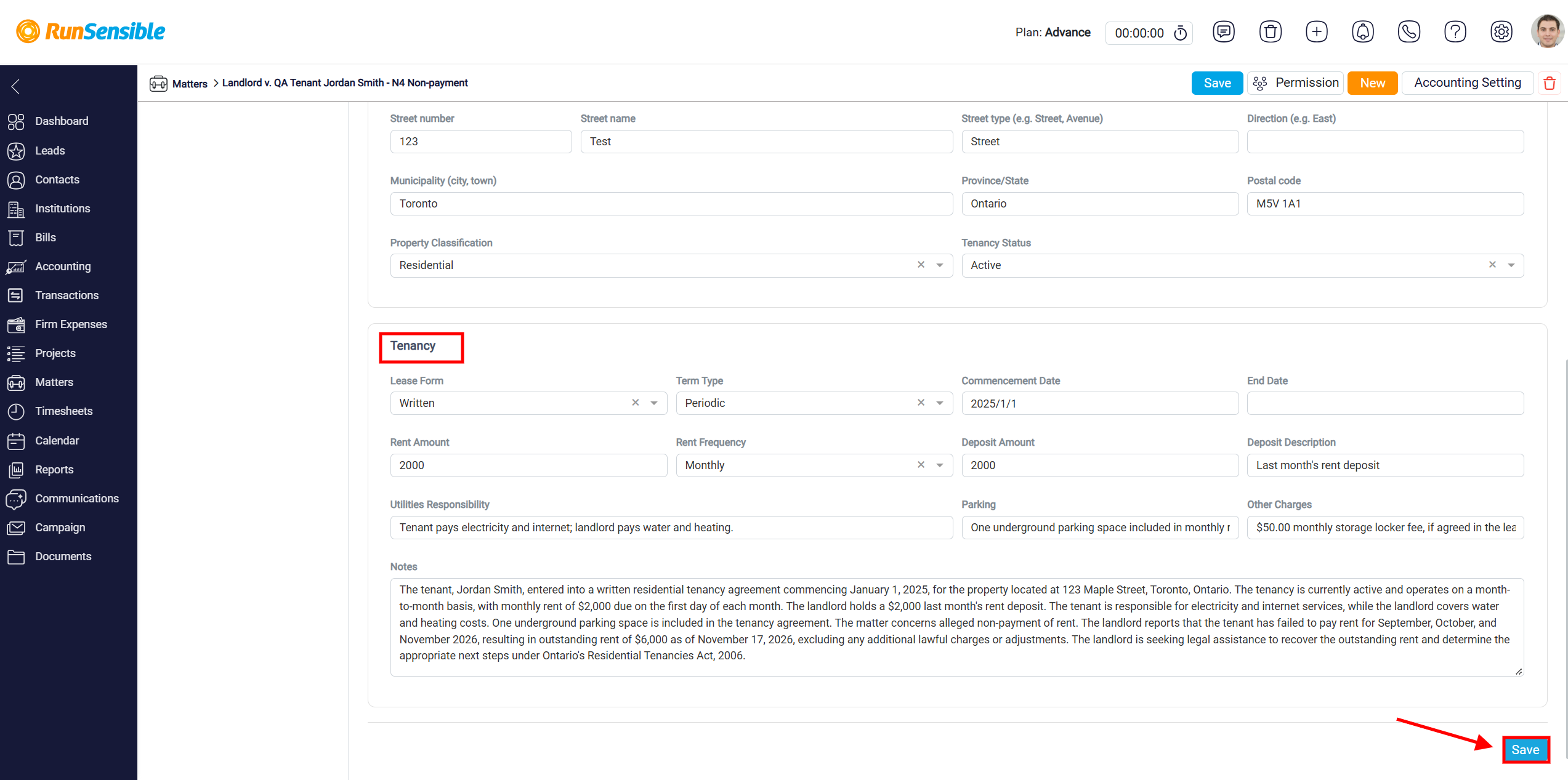
From the left-hand menu, select Tenancy to view and manage information about the rental property, lease agreement, and tenancy arrangements. The Tenancy page is divided into two main sections: Property and Tenancy. These sections allow you to record important details about the rental unit and the terms of the tenancy agreement.
In the Property section, enter the complete address of the rental property in the Property Address field and specify the unit number, if applicable, in the Unit field. Below the property address, you can enter the address components separately, including Street Number, Street Name, Street Type, Direction, Municipality (City, Town), Province/State, and Postal Code. Completing these fields helps ensure that the property information is accurately recorded and can be automatically populated into applicable official forms.
Next, use the Property Classification dropdown menu to select the type of rental property, such as Residential. In the Tenancy Status field, select the current status of the tenancy, such as Active, to indicate whether the tenancy is ongoing.
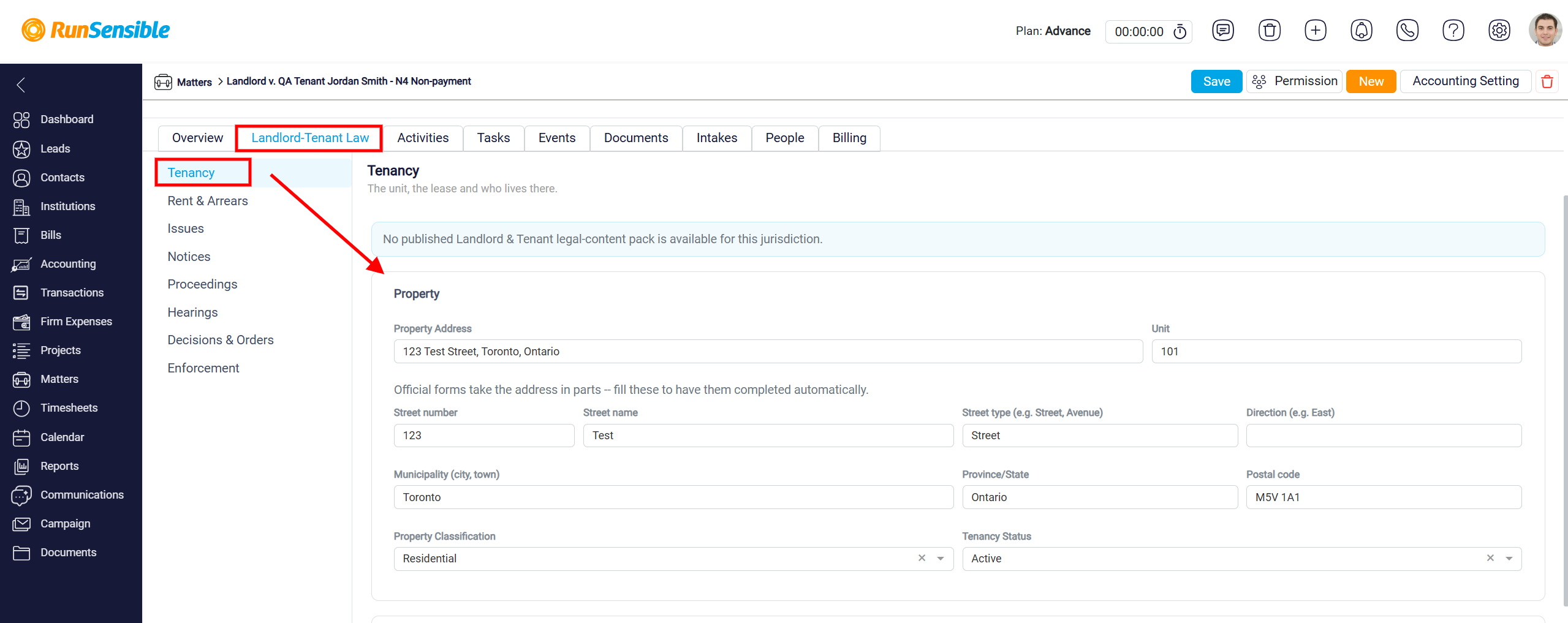
In the Tenancy section, enter the details of the rental agreement and the financial arrangements between the landlord and tenant.
Start by selecting the Lease Form to indicate whether the tenancy agreement is written or another available type. Next, choose the Term Type to specify the tenancy arrangement, such as Periodic. Enter the Commencement Date to record when the tenancy began and the End Date, if applicable, to indicate when the tenancy is scheduled to end. For an ongoing periodic tenancy without a specified end date, you can leave the End Date field blank.
Next, enter the agreed rental amount in the Rent Amount field and select the payment frequency from the Rent Frequency dropdown menu, such as Monthly. If the landlord has collected a deposit, enter the amount in the Deposit Amount field and provide an explanation in the Deposit Description field.
Use the Utilities Responsibility field to specify which party is responsible for paying utilities, such as electricity, water, heating, and internet services. In the Parking field, record any parking arrangements associated with the rental property, including whether parking is included in the rent. The Other Charges field allows you to document additional agreed charges related to the tenancy, such as storage locker fees, where applicable.
Finally, use the Notes field to record any additional information relevant to the tenancy, including special lease conditions, payment arrangements, or other important details. For example, you can document the tenant’s rental payment history, outstanding rent, or specific terms of the tenancy agreement.
Once you have entered or updated the information, click the Save button at the bottom-right corner of the page to save the tenancy details. You can return to this section at any time to review or update the recorded information as the matter progresses.