
Custom Snippets
Snippets is a tool that allows you to create shortcuts for commonly used words, phrases, and initials in the notes you leave within the system.
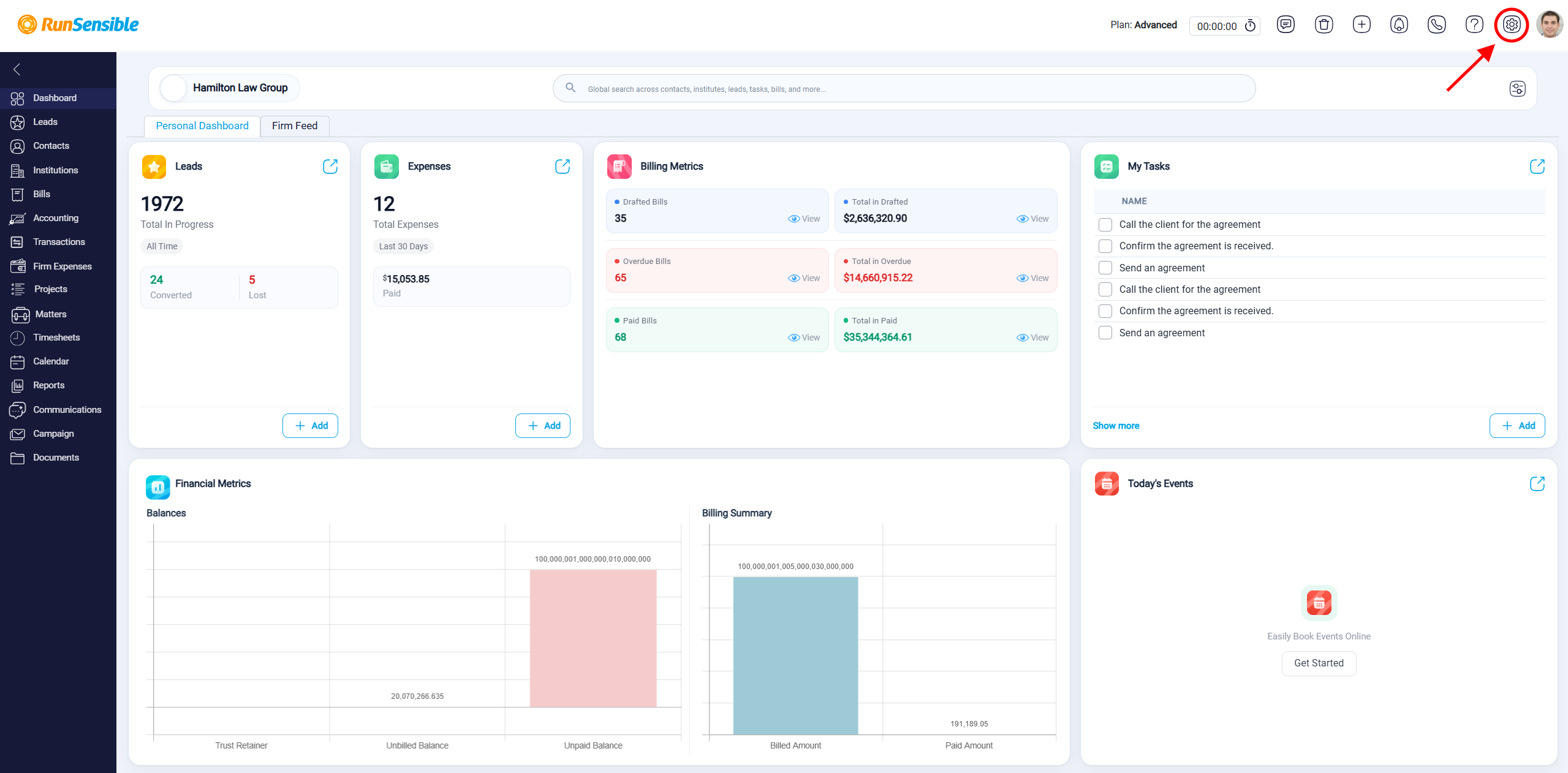
To set your initials, head over to Settings located in the top right corner of your screen.
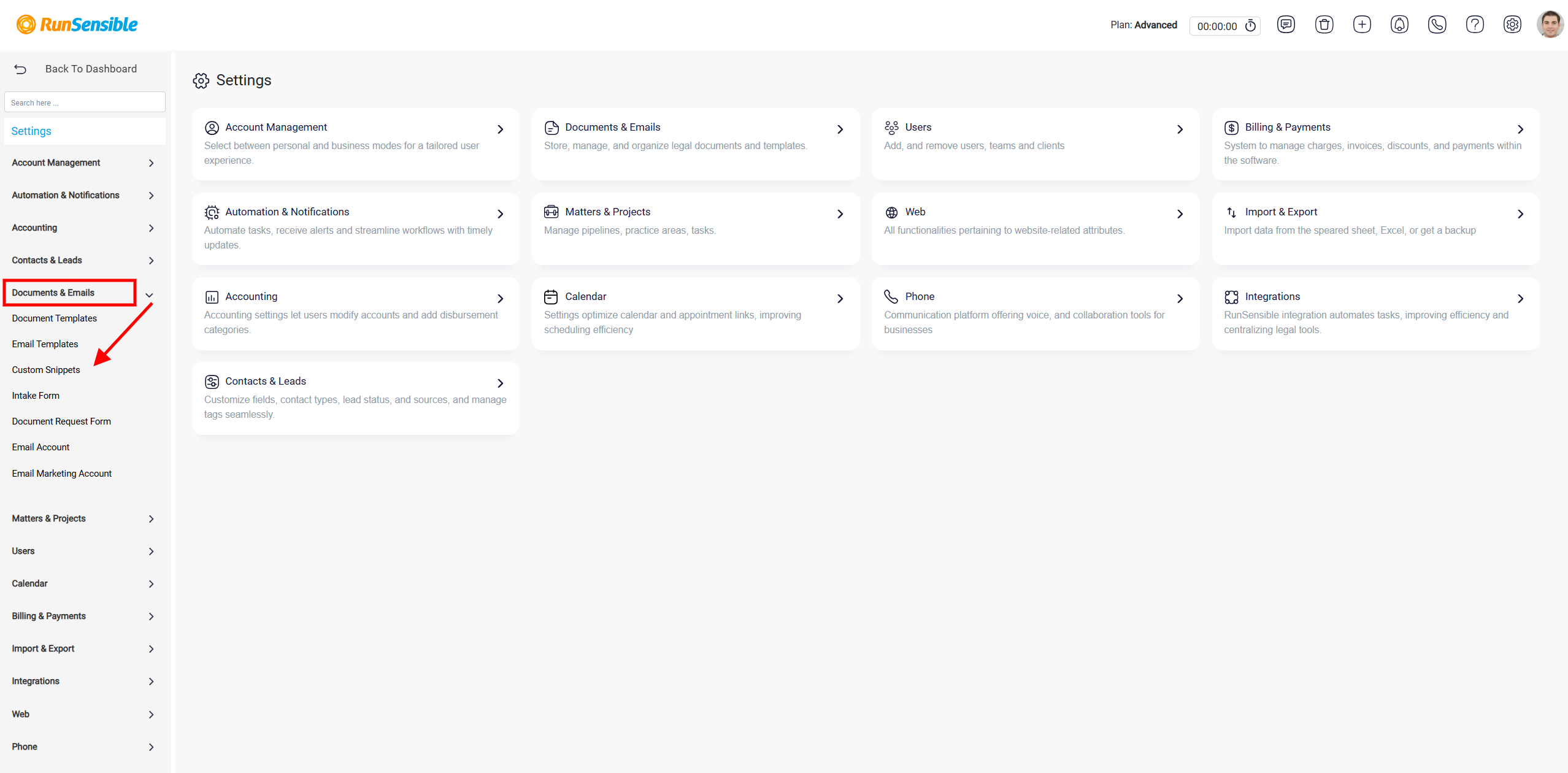
Click on the Documents and choose Custom Snippets.
In the Custom Snippet panel, the Replace field is used to enter the shortcut text, and the With field is used to enter the full text that should replace it. After both fields are completed, the user clicks Add to save the snippet.
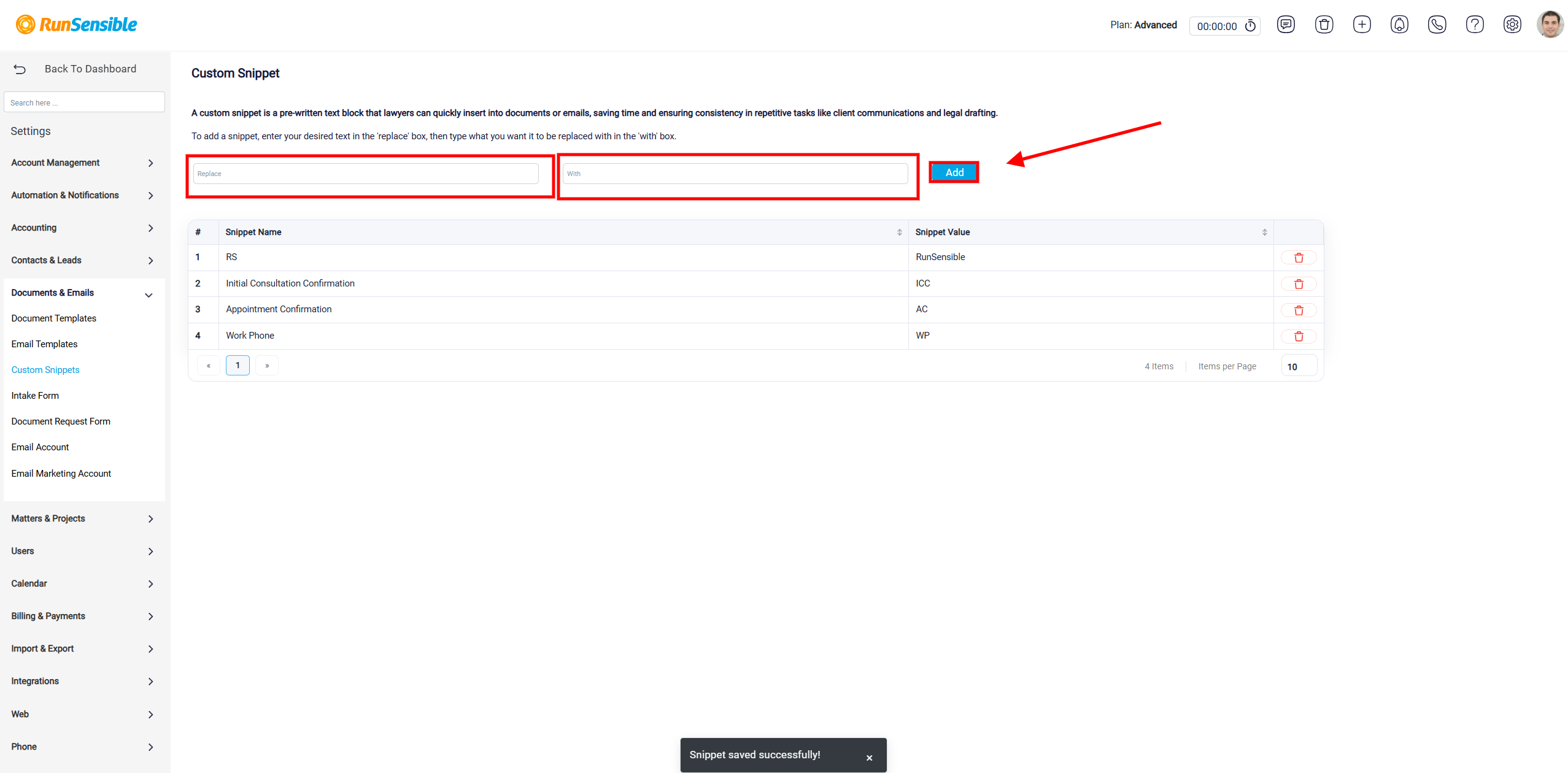
The snippet table shows the shortcuts that already exist in the system. The Snippet Name column shows the shortcut, and the Snippet Value column shows the full text that will be inserted when the shortcut is used. The delete icon can be used to remove a snippet that is no longer needed.