
Managing Personal Injury Matter Tabs
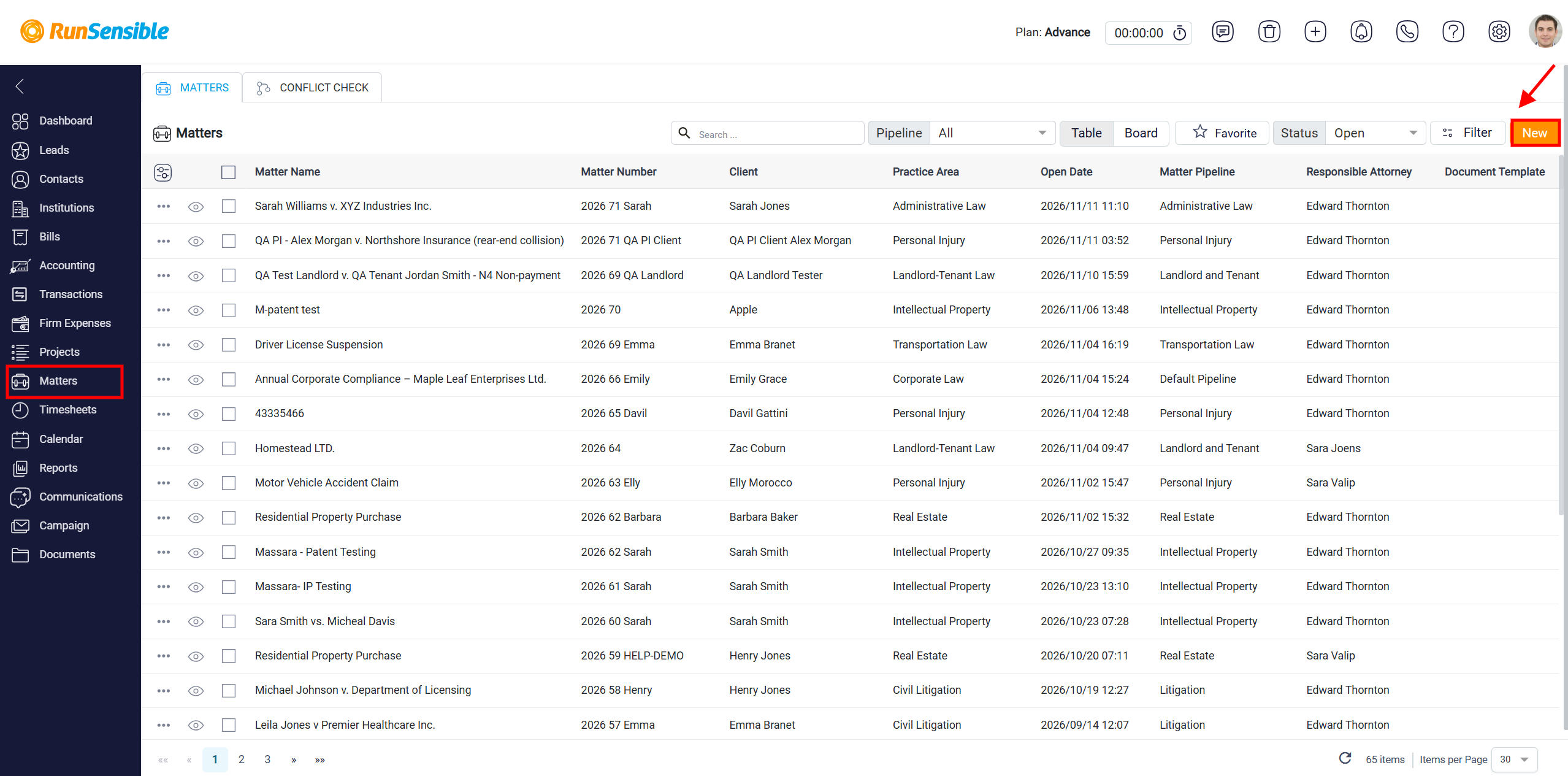
To create and manage a Personal Injury matter in RunSensible, navigate to the Matters section from the left-hand navigation menu. This will open the Matters page, where you can view and manage all existing matters in your account. The Matters page displays a list of matters along with important information
Click the New button in the upper-right corner of the Matters page. This will begin the process of creating a new matter in RunSensible.
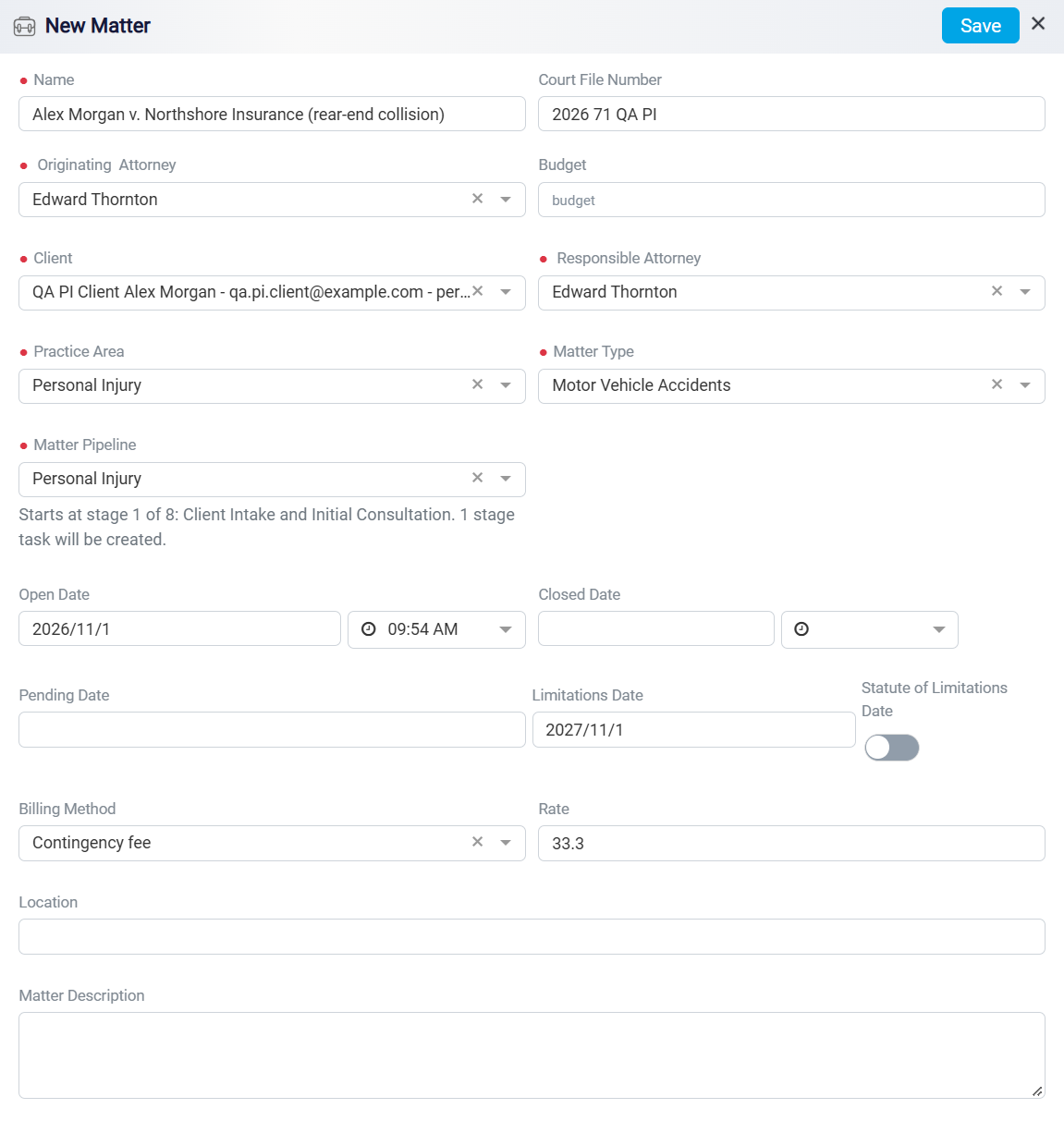
After clicking the New button on the Matters page, the New Matter window will appear. This window allows you to enter the essential information needed to create and manage a Personal Injury matter in RunSensible.
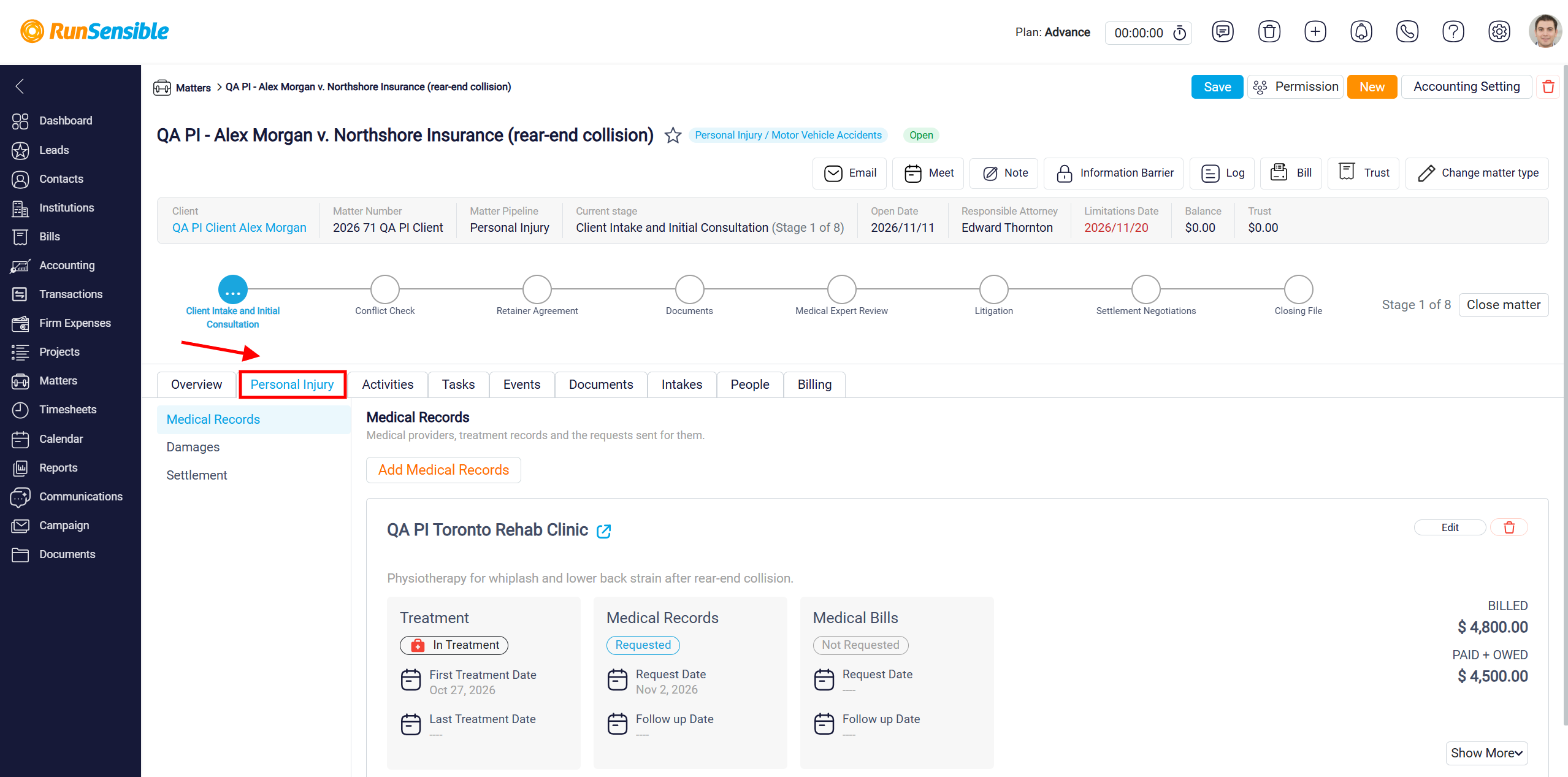
Next, open the newly created matter and navigate to the Personal Injury tab to access its dedicated features and manage case-specific information.
The left-side menu contains three main sections: Medical Records, Damages, and Settlement.
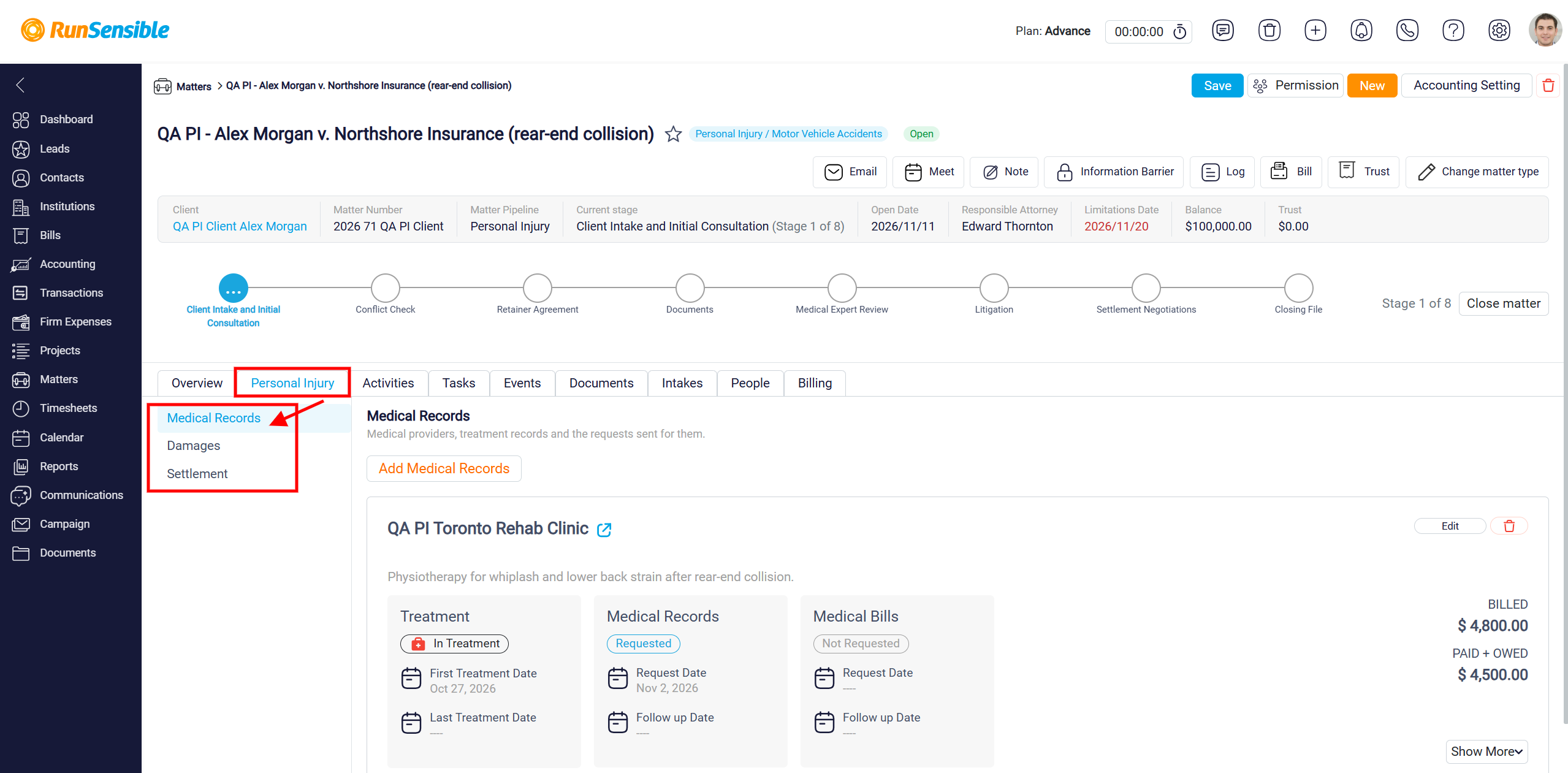
To learn how to create and manage Medical Records, please visit Adding and Tracking Medical Records in Personal Injury Matters.
To learn how to record and assess damages, please visit Recording and Assessing Damages in Personal Injury Matters.