
Recording and Assessing Damages in Personal Injury Matters
The Damages section allows you to record and organize the losses claimed in a personal injury matter. Damages are categorized to help you distinguish between financial losses and non-financial harm resulting from the incident.
To access this section, open the Personal Injury tab within the matter and select Damages from the left-hand menu.
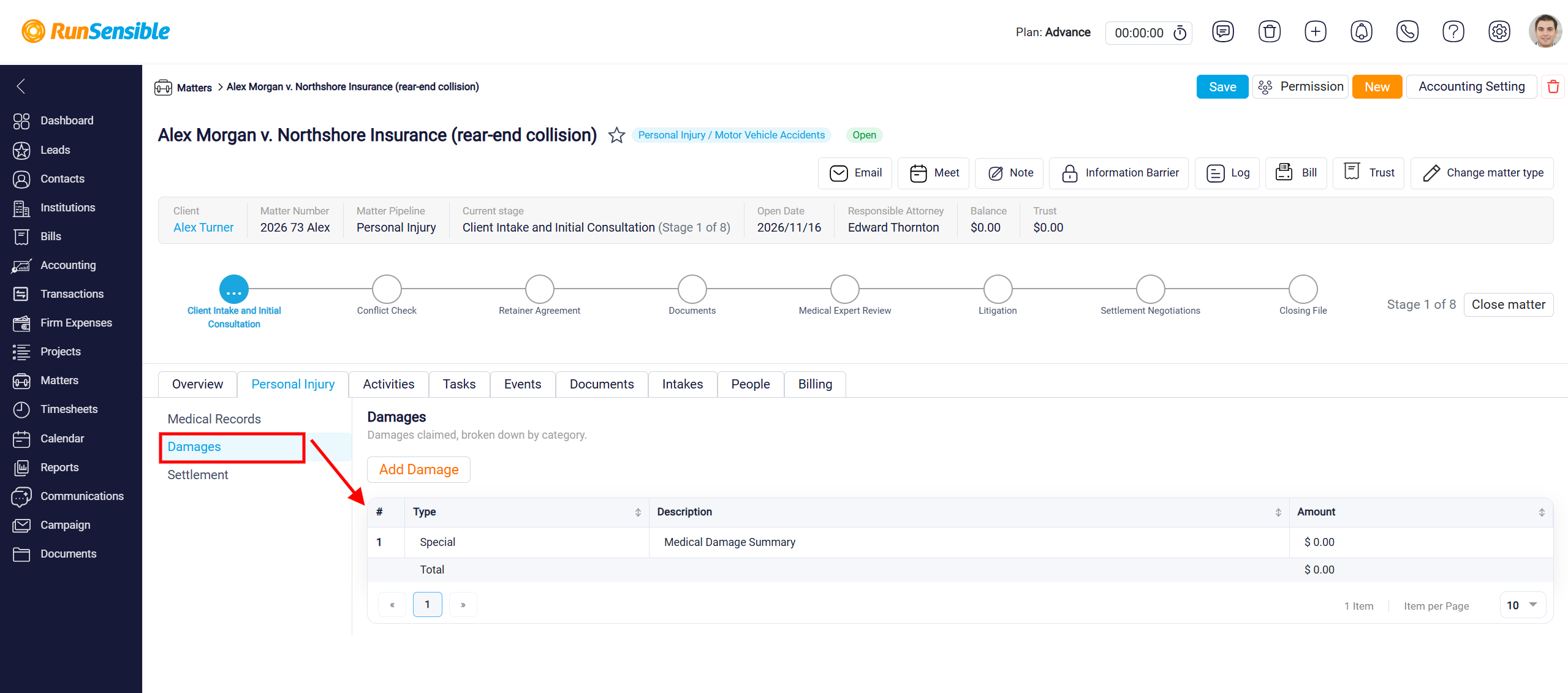
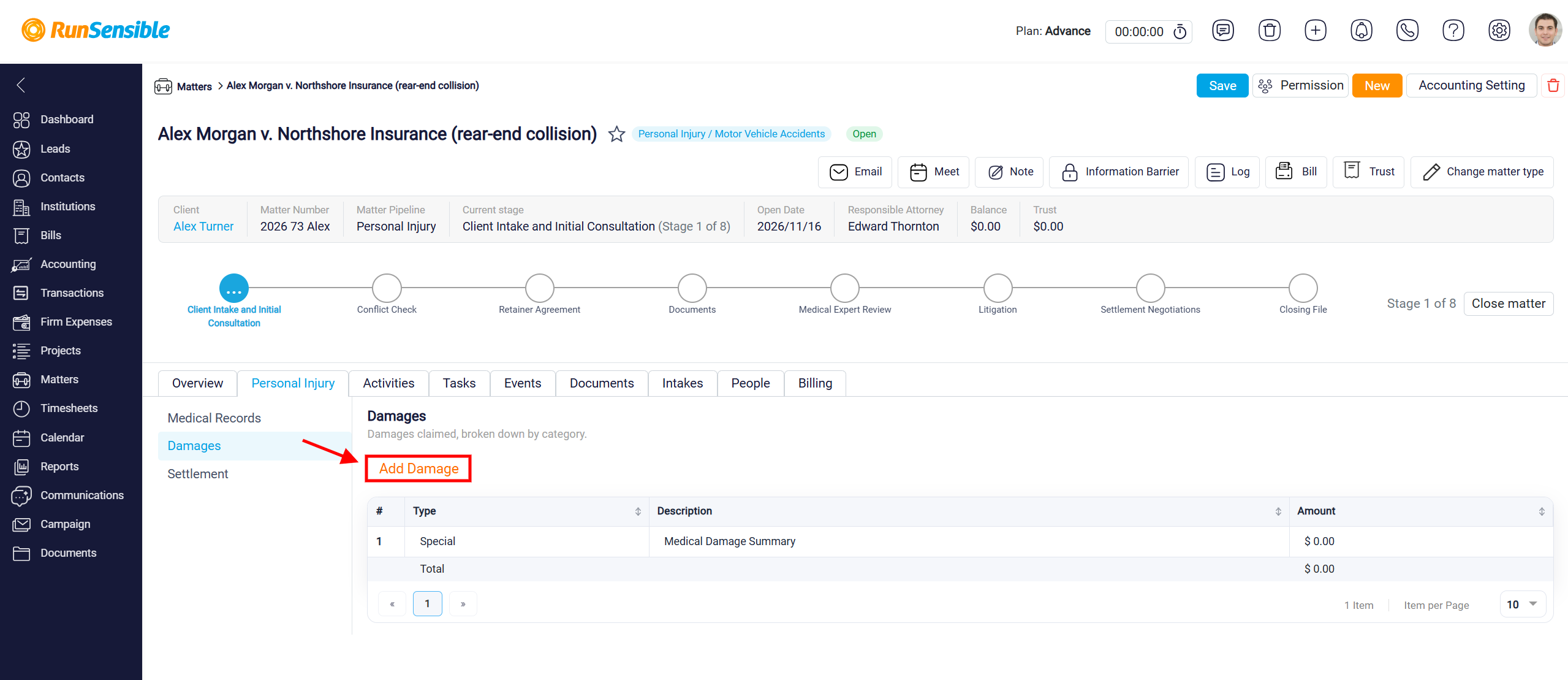
To record a new damage, click Add Damage and enter the relevant details.
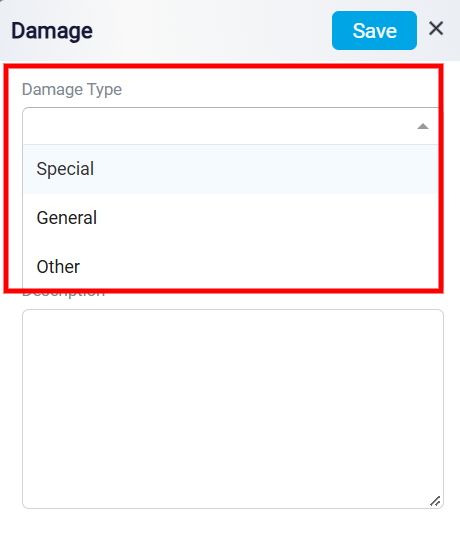
Under Damage Type, select the appropriate category from the dropdown menu, depending on the nature of the claimed loss.
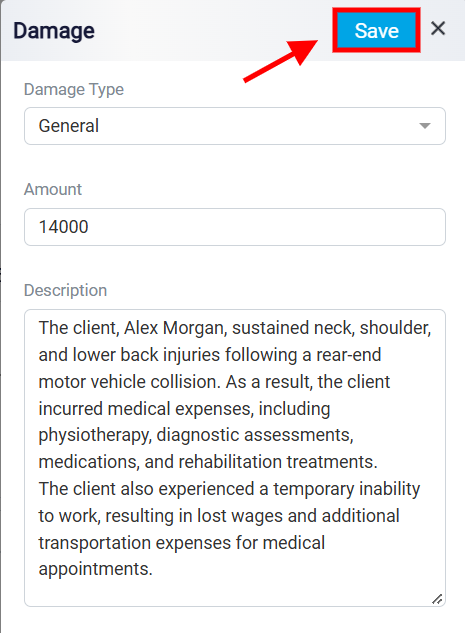
Next, enter the Amount of the claimed damage. Use the Description field to provide details about the damage, including the injuries sustained, their impact on the client’s daily activities, and any other relevant circumstances. Once all necessary information has been entered, click Save in the upper-right corner to add the damage to the Personal Injury matter.
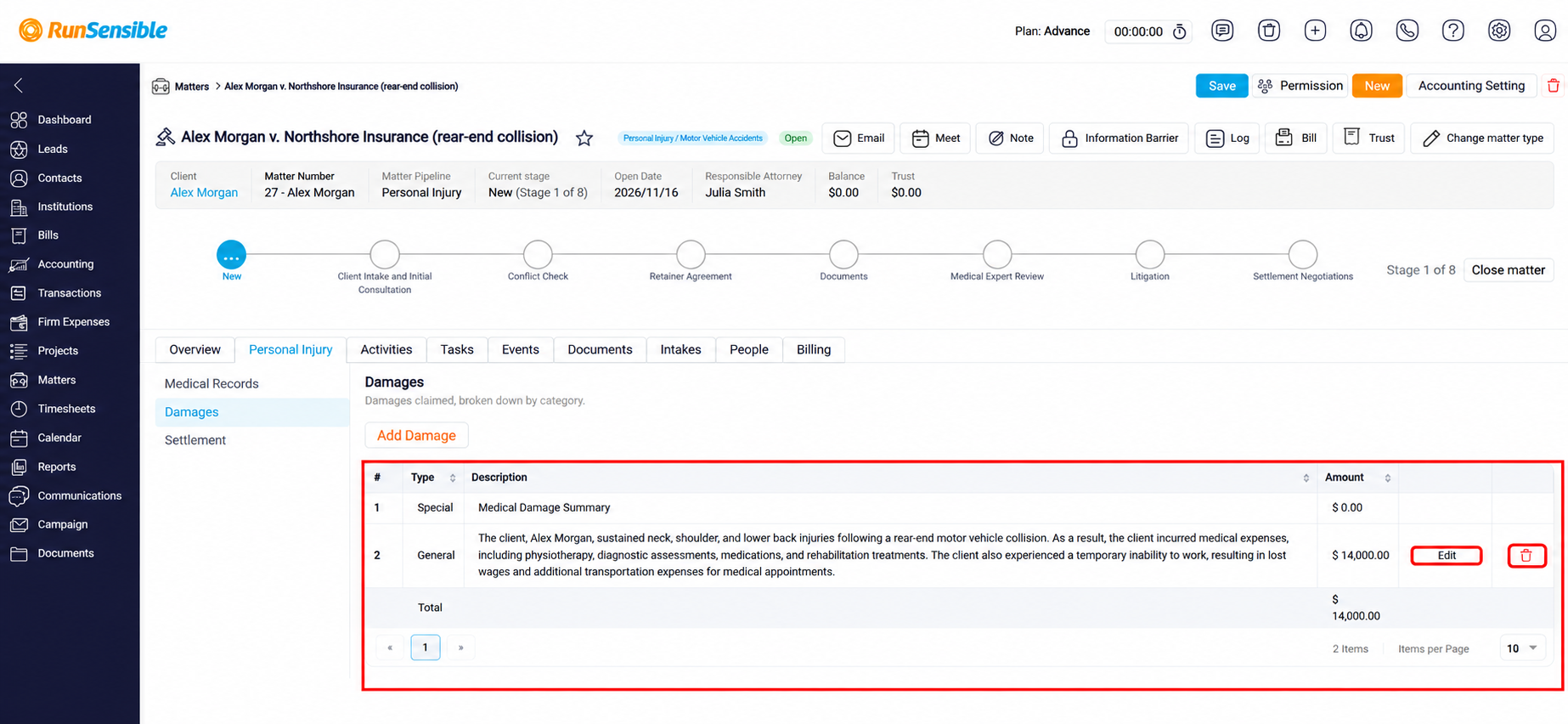
Once a damage has been saved, it will appear in the Damages table within the Personal Injury matter. The table displays the Type, Description, and Amount of each recorded damage, allowing you to review and track the client’s claimed losses. The Total row at the bottom of the table displays the combined amount of all recorded damages, providing a summary of the financial and non-financial losses claimed in the matter.
To update an existing damage, click Edit and modify the relevant information. You can also click the Delete icon to remove a damage entry.
To record additional damages, click Add Damage and complete the required fields. This helps you maintain an organized and up-to-date record of the damages associated with the Personal Injury matter.