Shared Features in Match Panels
Although each matching panel is designed for a different type of transaction, all Match panels share the same general purpose: helping the user connect a real bank transaction to the correct record inside RunSensible.
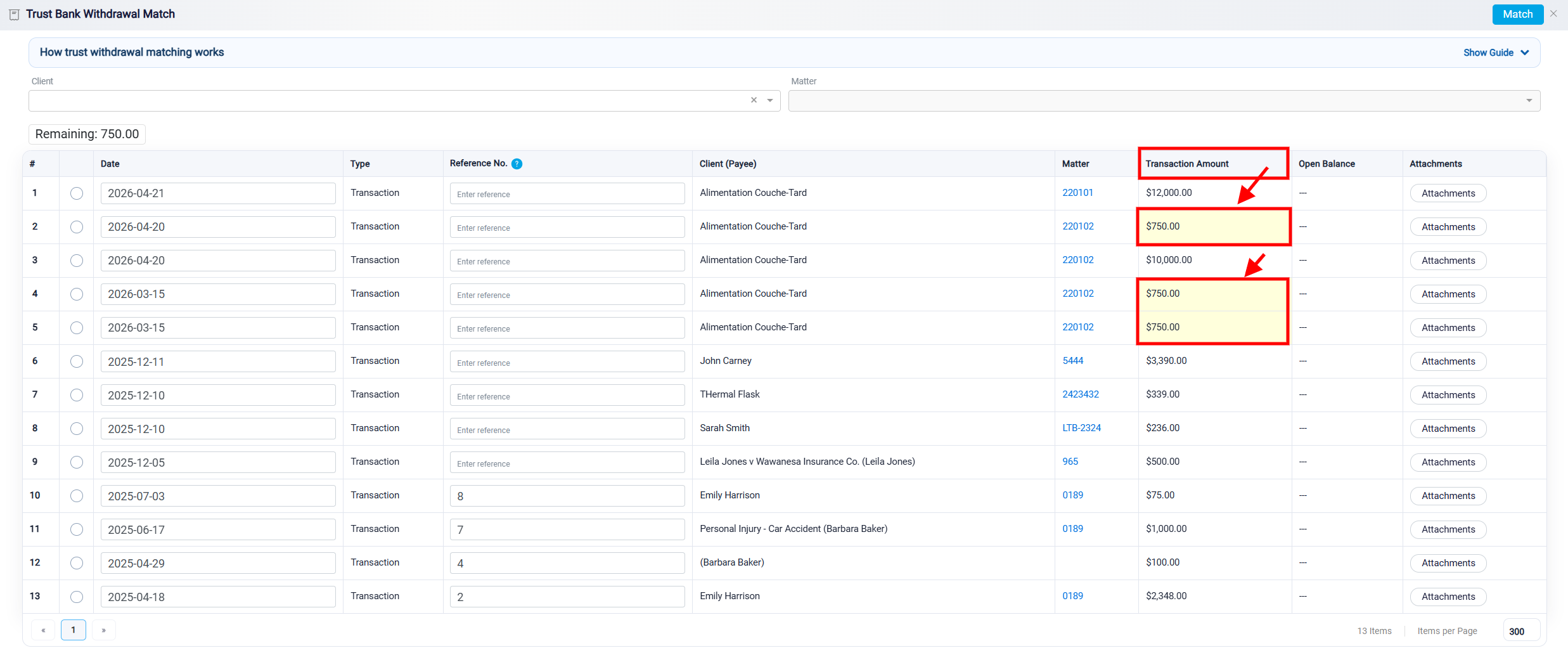
One shared feature is the Transaction Amount column. If an amount in this column exactly matches the remaining amount of the bank transaction being matched, the system highlights it in yellow. This helps the user quickly identify records that are likely to be the correct match.
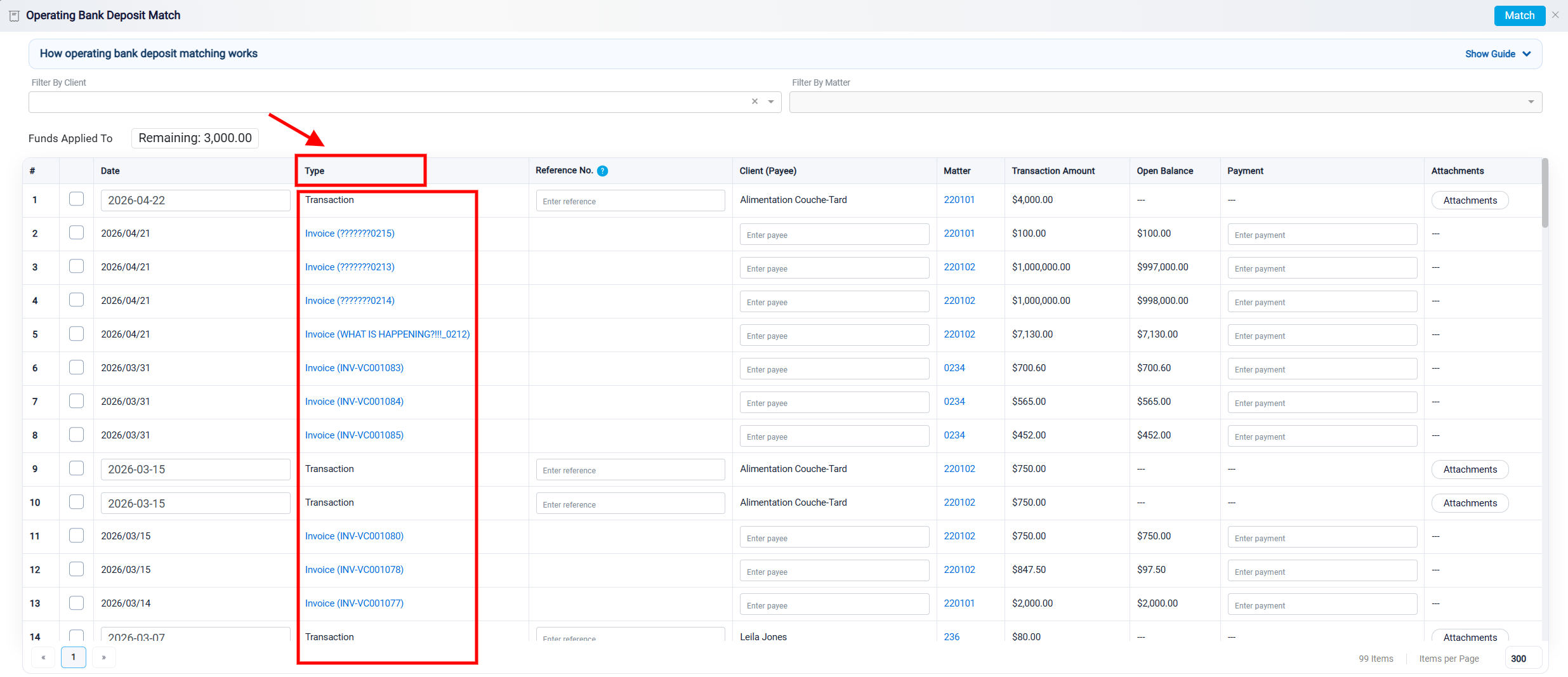
Another important column is the Type column. This column shows what kind of internal record appears in each row. If the type is Transaction, the row represents an internal transaction that already exists in RunSensible. If the type is something other than Transaction, the row represents a financial record that does not yet have its own transaction recorded in the system. When that type of record is matched, RunSensible automatically creates the related internal transaction and links it to the imported bank transaction.
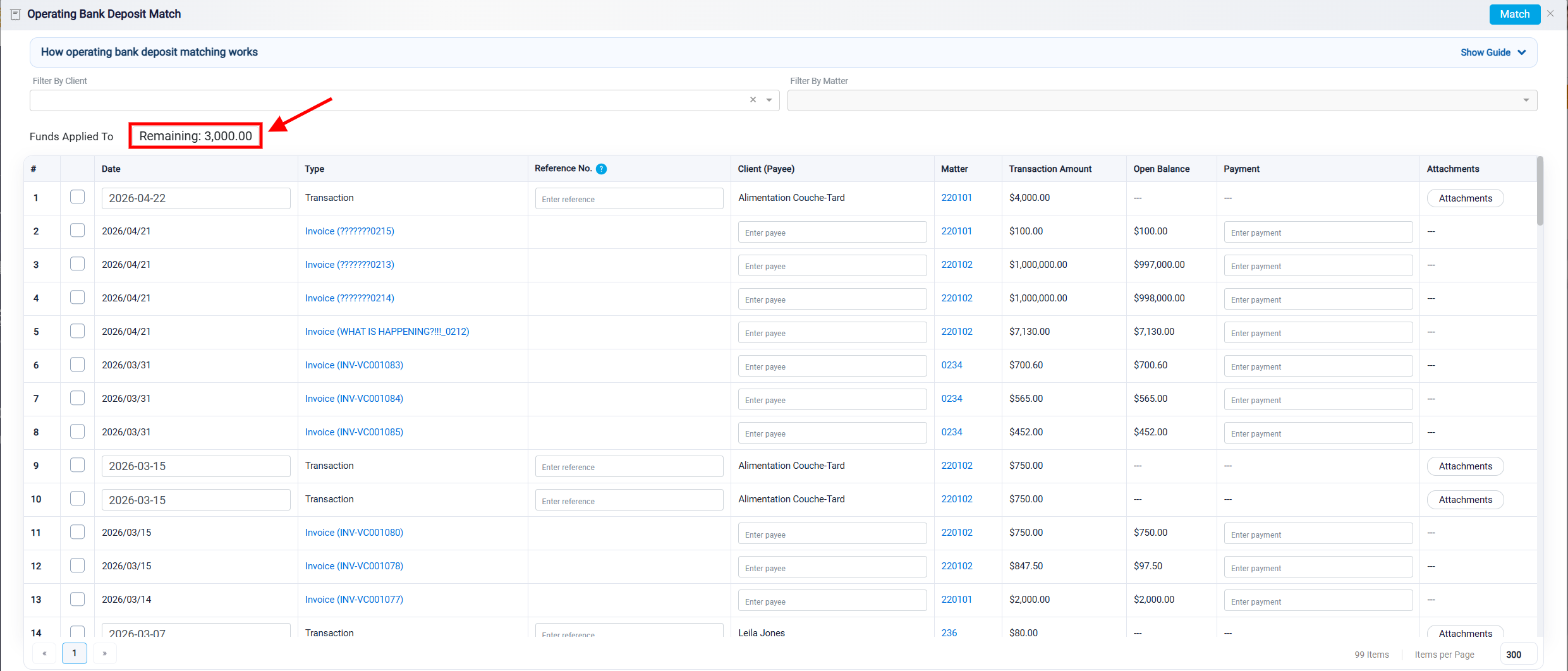
Each panel also includes a Remaining amount near the top of the screen. This amount shows how much of the selected bank transaction still needs to be matched. To complete the matching process, the remaining amount must become zero. Whether the panel allows selecting one record or multiple records, the total selected amount must match the amount of the bank transaction.