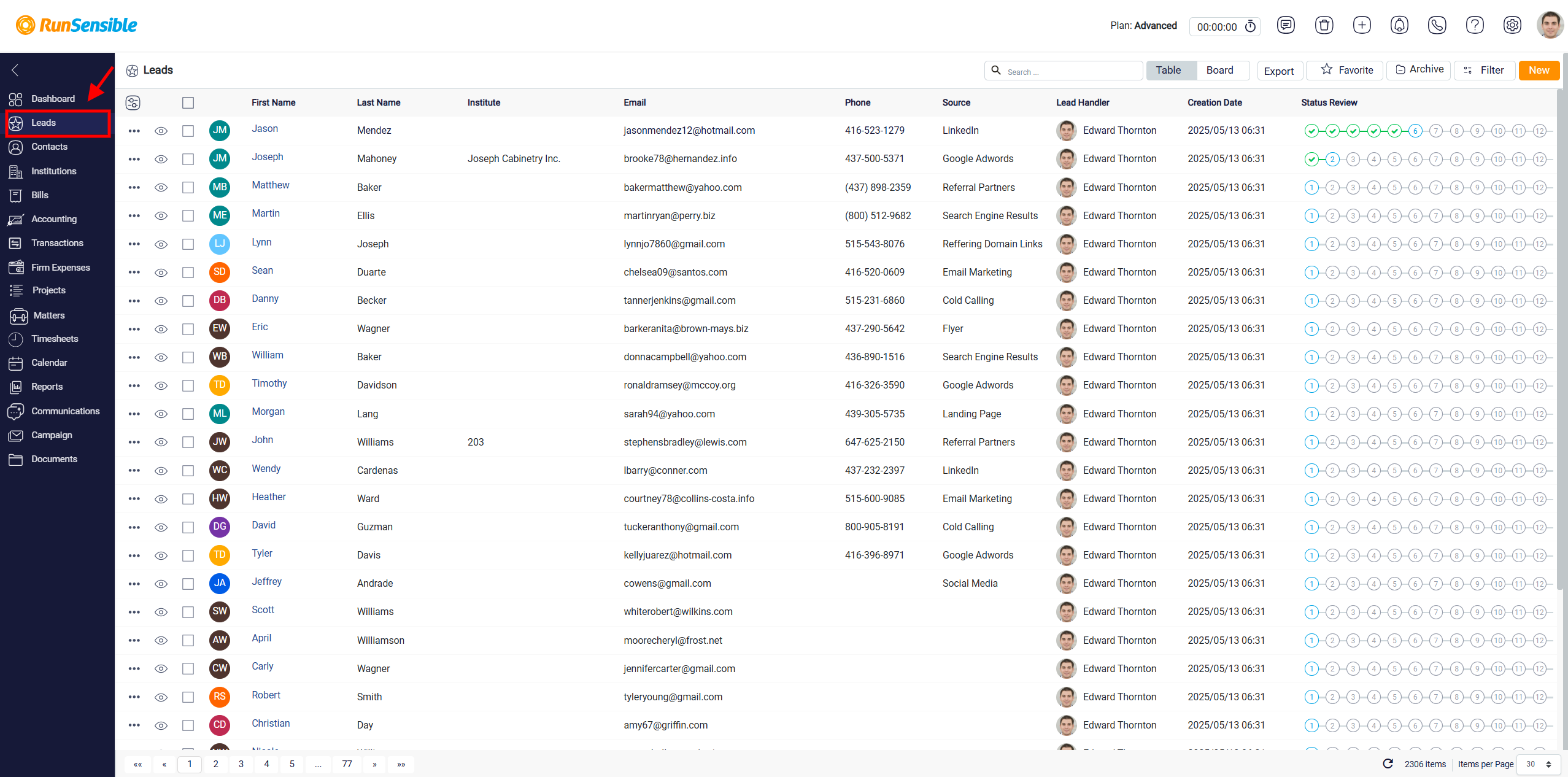
Accessing Lead List
To view leads that have already been added to the system, click Leads from the menu on the right side of the screen. This opens the lead list, where you can review the leads saved in your system, check their contact information, see who is handling them, and track their current status in the lead pipeline.