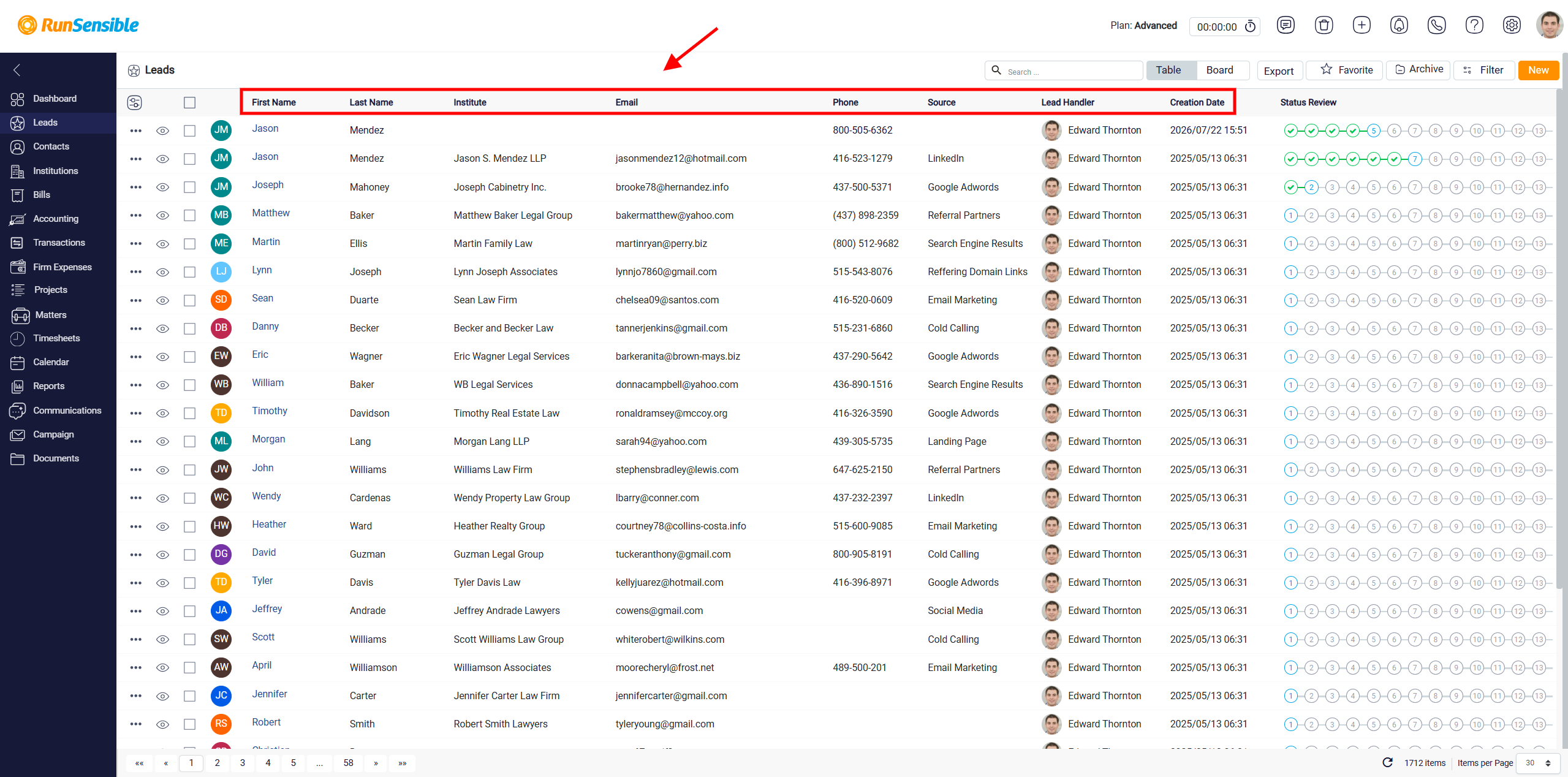
Lead Information Columns
The First Name and Last Name columns show the lead’s name. The Institute column shows the company, organization, or institution linked to the lead, if one has been added.
The Email and Phone columns show the lead’s contact information. If any field is empty, it means that the information has not been entered in the lead record yet. The Source column shows where the lead came from, such as a website, referral, campaign, or another lead source.
The Lead Handler column shows the user responsible for managing the lead. This helps the team understand who should follow up with the lead and who is responsible for moving it through the process.
The Creation Date column shows when the lead was first added to the system. This helps users see how long the lead has been in the database and decide whether it may need follow-up.
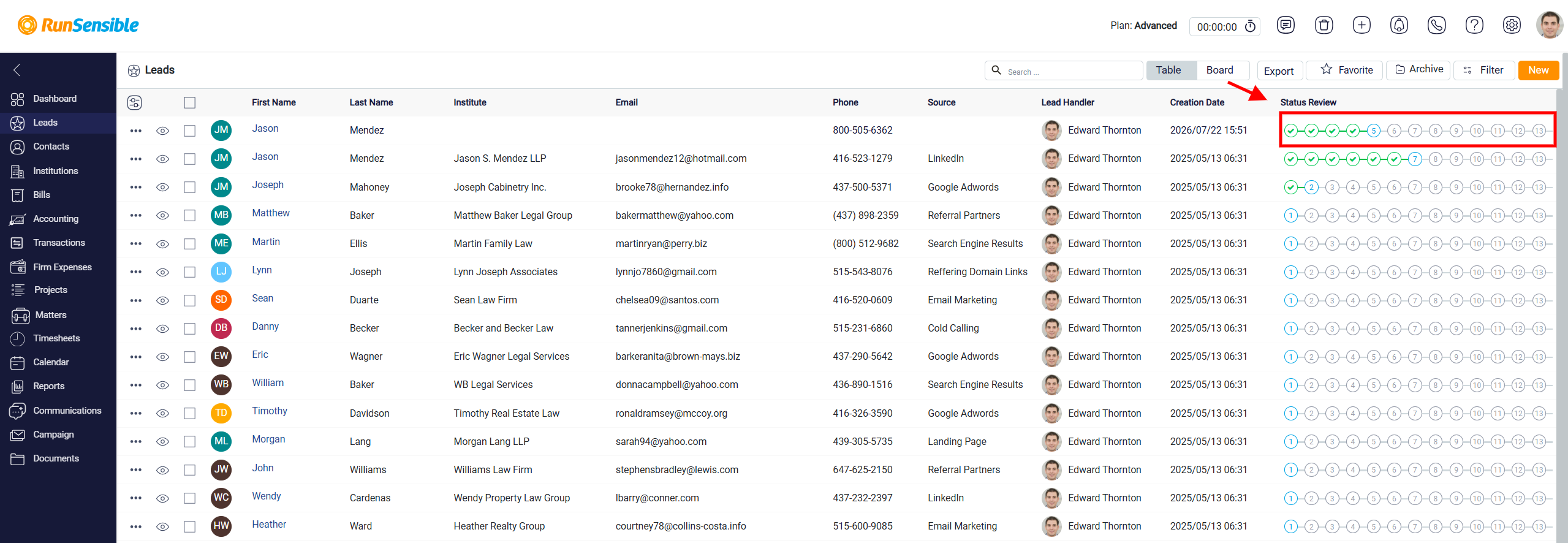
The Status Review column shows the lead’s progress through the lead pipeline. The numbers represent the different stages or milestones in the lead process. A blue circle indicates the lead’s current stage. Green check marks show stages that have already been completed. Grey numbers show stages that have not yet been reached. This visual progress indicator allows users to understand the lead’s current status directly from the table without opening the full lead profile.