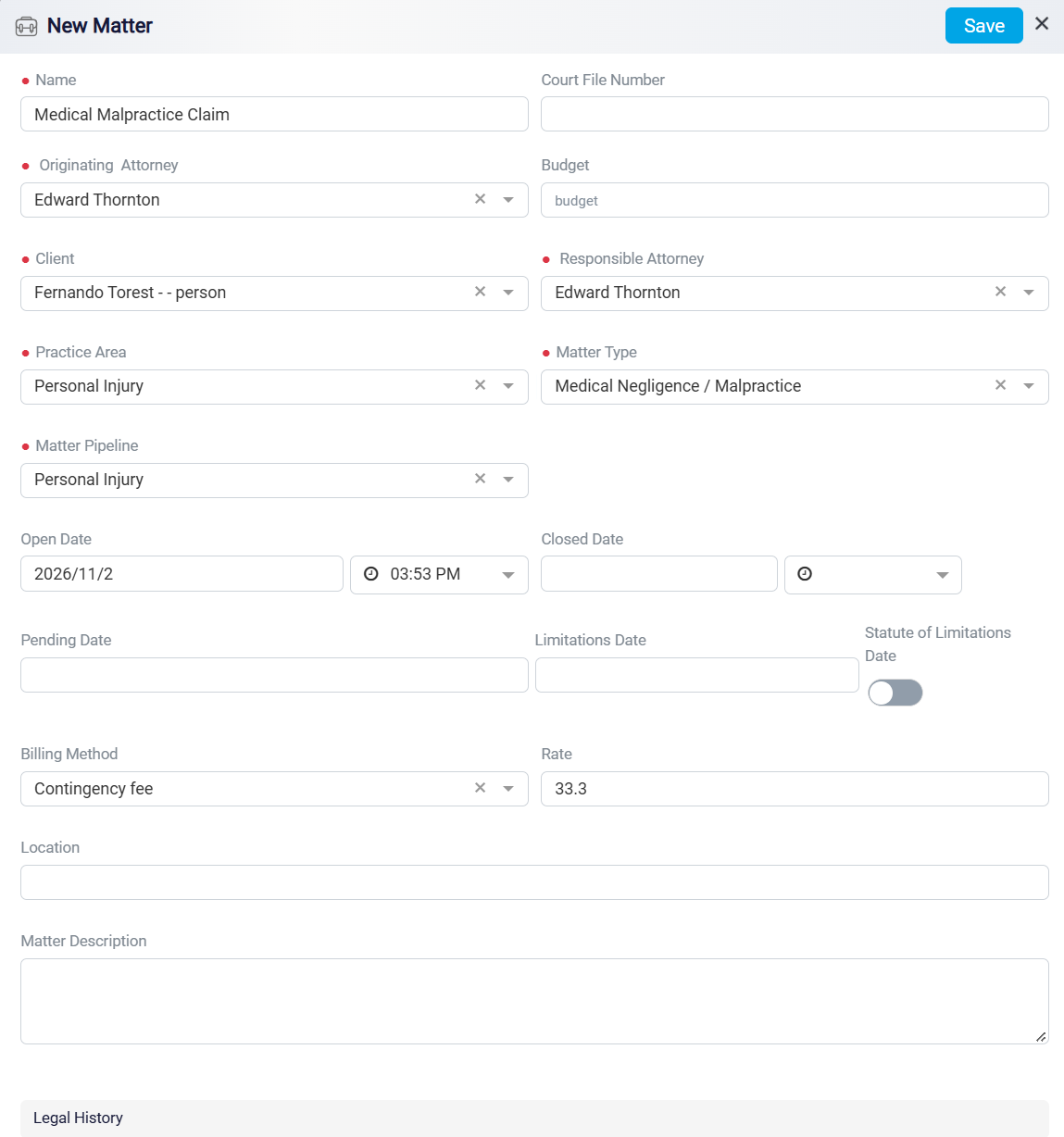
Creating a New Matter
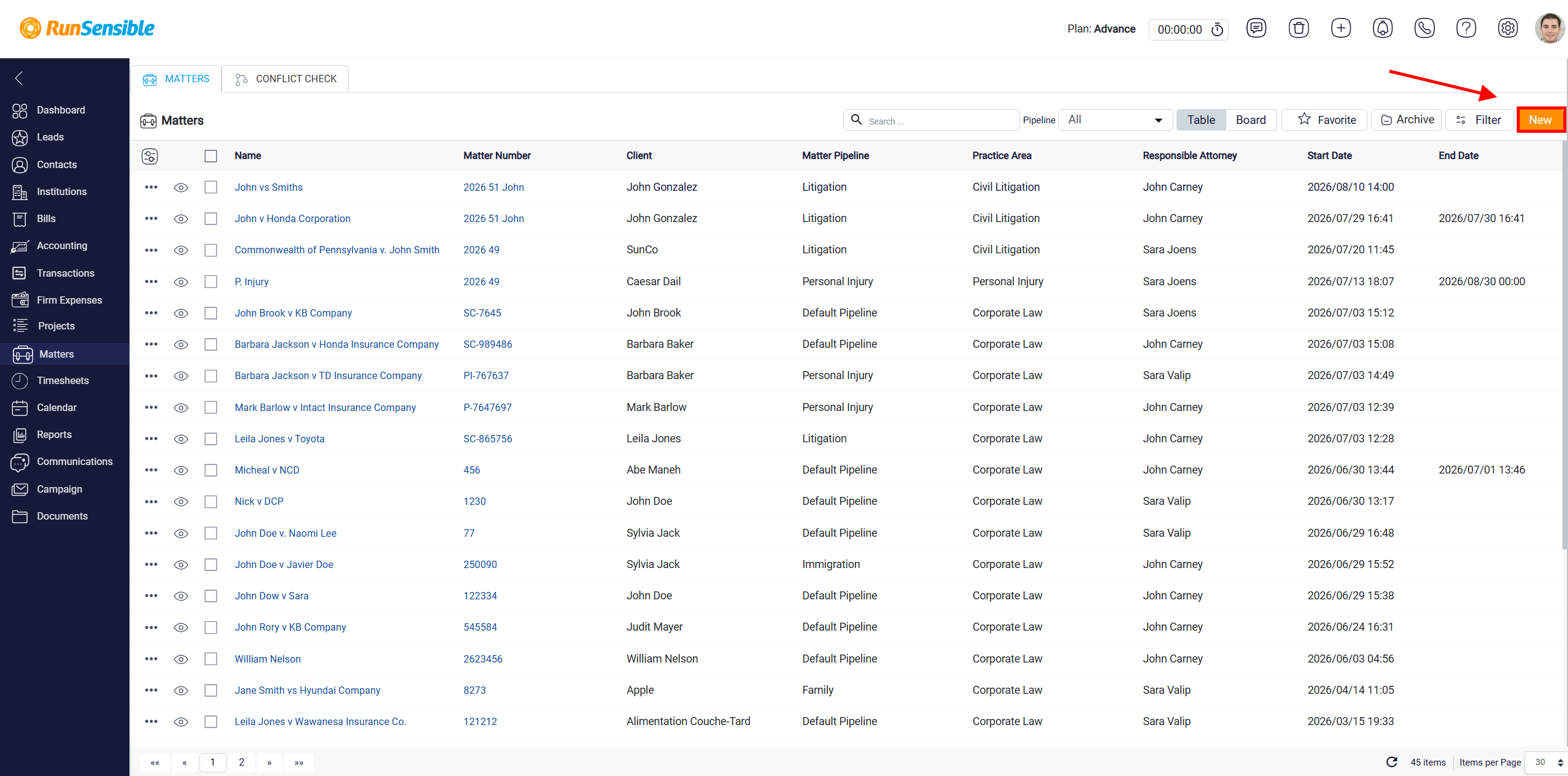
To create a new matter in the system, click the New button in the top-right corner of the screen.
This opens the matter creation form, where you can enter the main details for the matter. Start by completing the identification fields, such as the Matter Name, Court File Number, Originating Attorney, etc. These fields help identify the matter clearly so it can be searched, referenced, and tracked later in the system.