Tracking Important Legal Dates
After selecting the Practice Area and Matter Pipeline, the next part of the matter form focuses on the important dates related to the matter. These date fields appear in the middle section of the New Matter form and are part of the same matter creation process. They are used to record when the matter starts, when it is expected to close, and which legal deadlines need to be monitored while the matter is active. These dates help users understand the timeline of the case and manage the matter more accurately. By completing this section, you can keep track of the matter’s opening date, expected closing date, pending dates, and limitation deadlines in one place.
Open Date
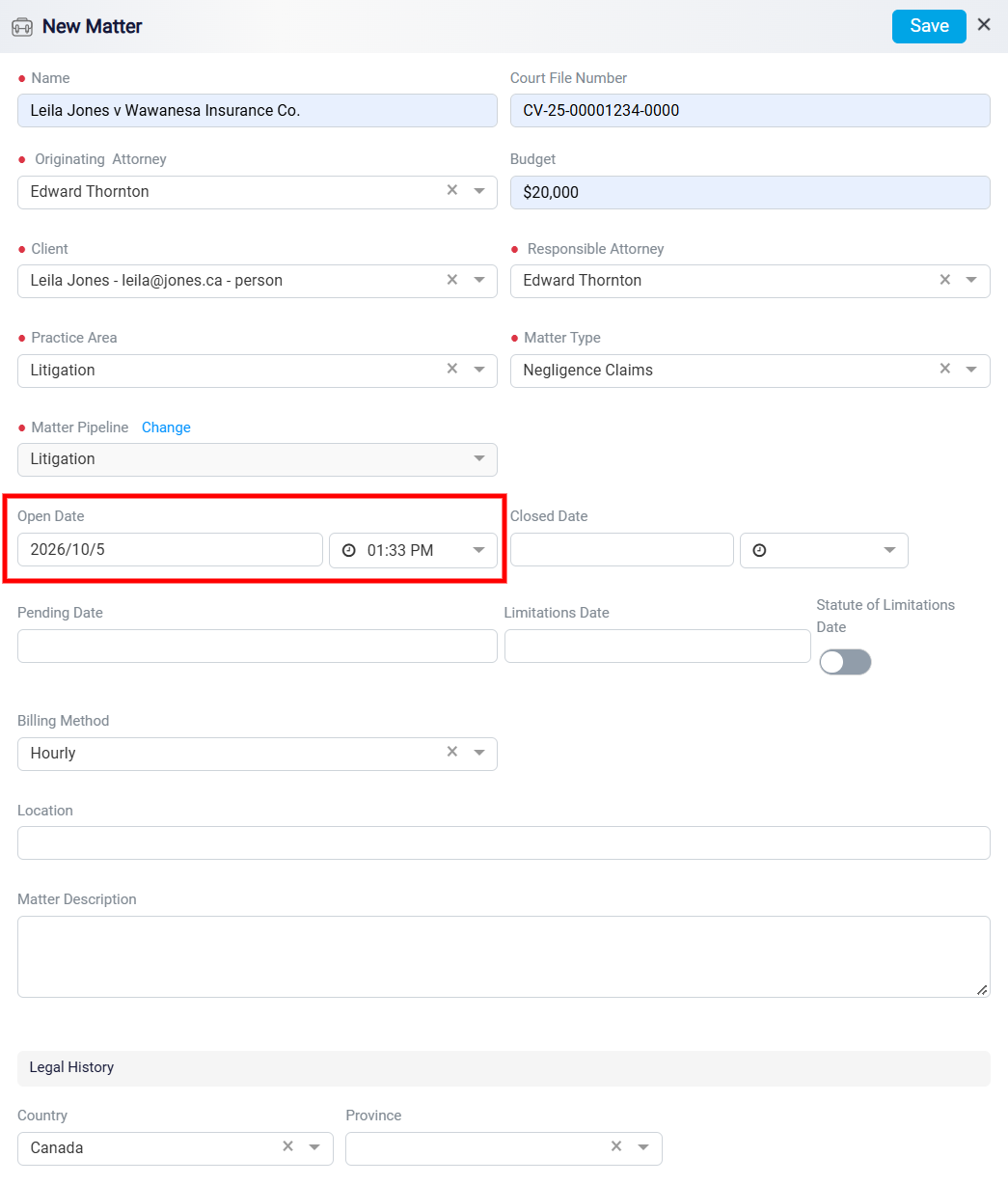
The Open Date records when the matter is created or officially opened in the system. By default, this field is usually filled with the current date and time at the moment the matter is being created. This means the system automatically records the start date of the matter without requiring you to enter it manually.
If you need to change the open date, click inside the Open Date field and select the correct date. You can also change the Time by using the time selector beside the date field. This is useful when the matter should reflect a different official start date or when the matter was opened earlier than the time it was entered into the system.
Closed Date
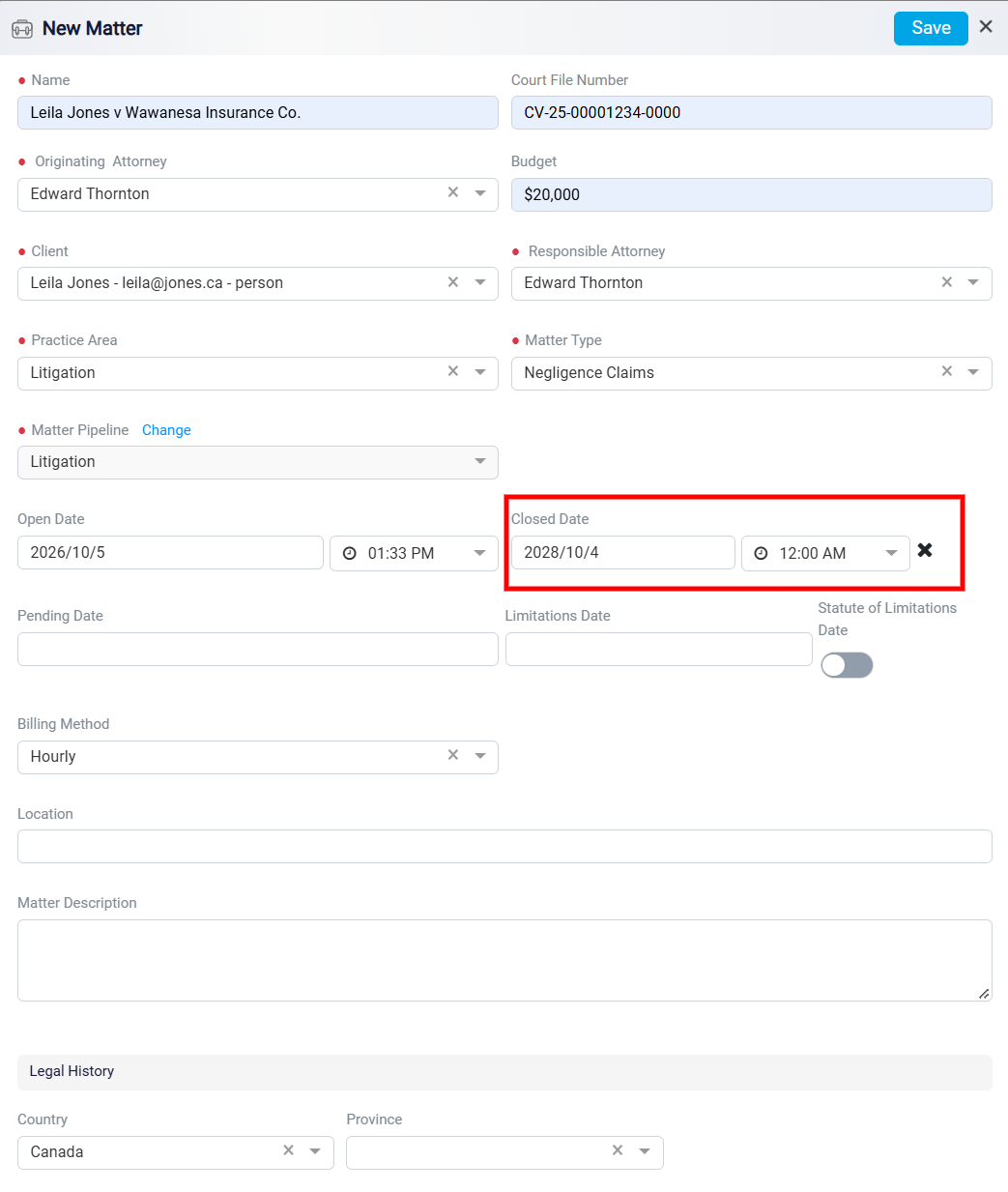
The Closed Date is used to record when the matter is expected to close or when it has already been closed. This date may represent the expected conclusion of the matter, the final deadline for completing the case, or the actual date when the matter is resolved. The Closed Date section includes both a date field and a time field. Together, these fields allow you to set the exact date and time connected to the closing of the matter. To choose the date, click inside the Closed Date field. A calendar will open, allowing you to move between months, choose the correct month and year, and select the appropriate day. After you click the day, the selected date will be added to the field.
Next to the date field, there is a Time selector. Click the time dropdown to choose the closing time. A list of available times will appear, and you can scroll through the list until you find the correct time. After selecting both the date and the time, the system will have a complete closing date for the matter.
Pending Date
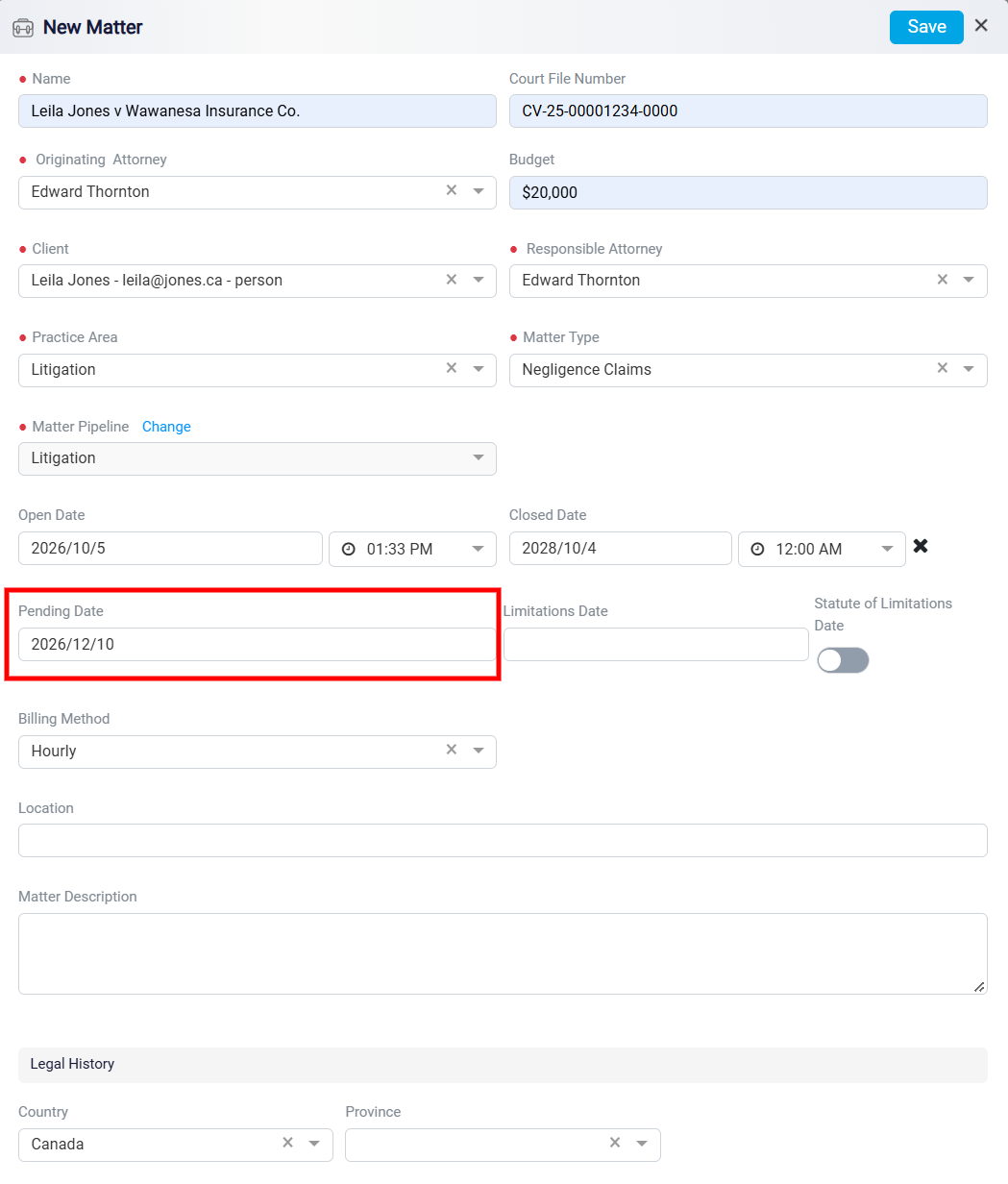
The Pending Date is used to track an upcoming date or important event related to the matter. This may include a court hearing, filing deadline, follow-up date, review date, or another important step that must be completed as the matter progresses.
This field helps users stay aware of upcoming actions connected to the matter. By entering a pending date, you create a clear reminder that something important is expected to happen or must be completed. This helps prevent delays and makes it easier to manage the next steps in the legal process.
Limitation Date
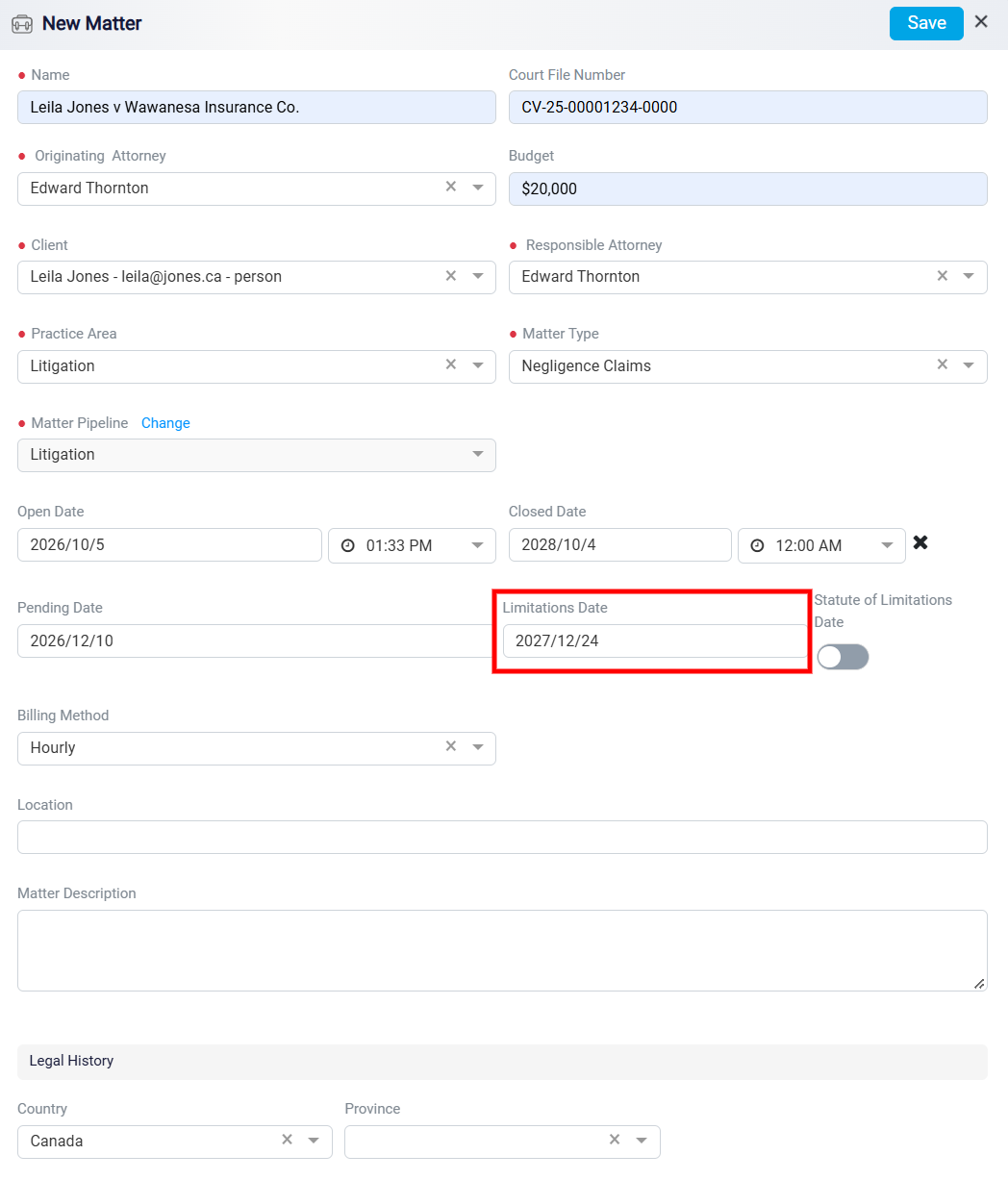
The Limitation Date is one of the most important dates in a legal matter. It represents the final date by which legal action must be started or filed. This date is usually based on the statute of limitations, which sets the amount of time a person has to bring a legal claim after a specific event, such as an injury, dispute, breach of contract, or other legal issue.
Missing the limitation date can have serious consequences. If the required legal action is not taken before this date, the client may lose the right to make a claim or pursue a remedy. For this reason, the limitation date should be entered carefully and monitored closely throughout the matter.