Overview of Basic Matter Information
The Dashboard provides a complete Overview of the selected matter, allowing you to review important case details, financial information, upcoming tasks, events, and conflict checks in one place. To access this section, navigate to Matters from the left-hand sidebar, open the desired matter, select the Overview tab, and click Dashboard from the left-hand menu.
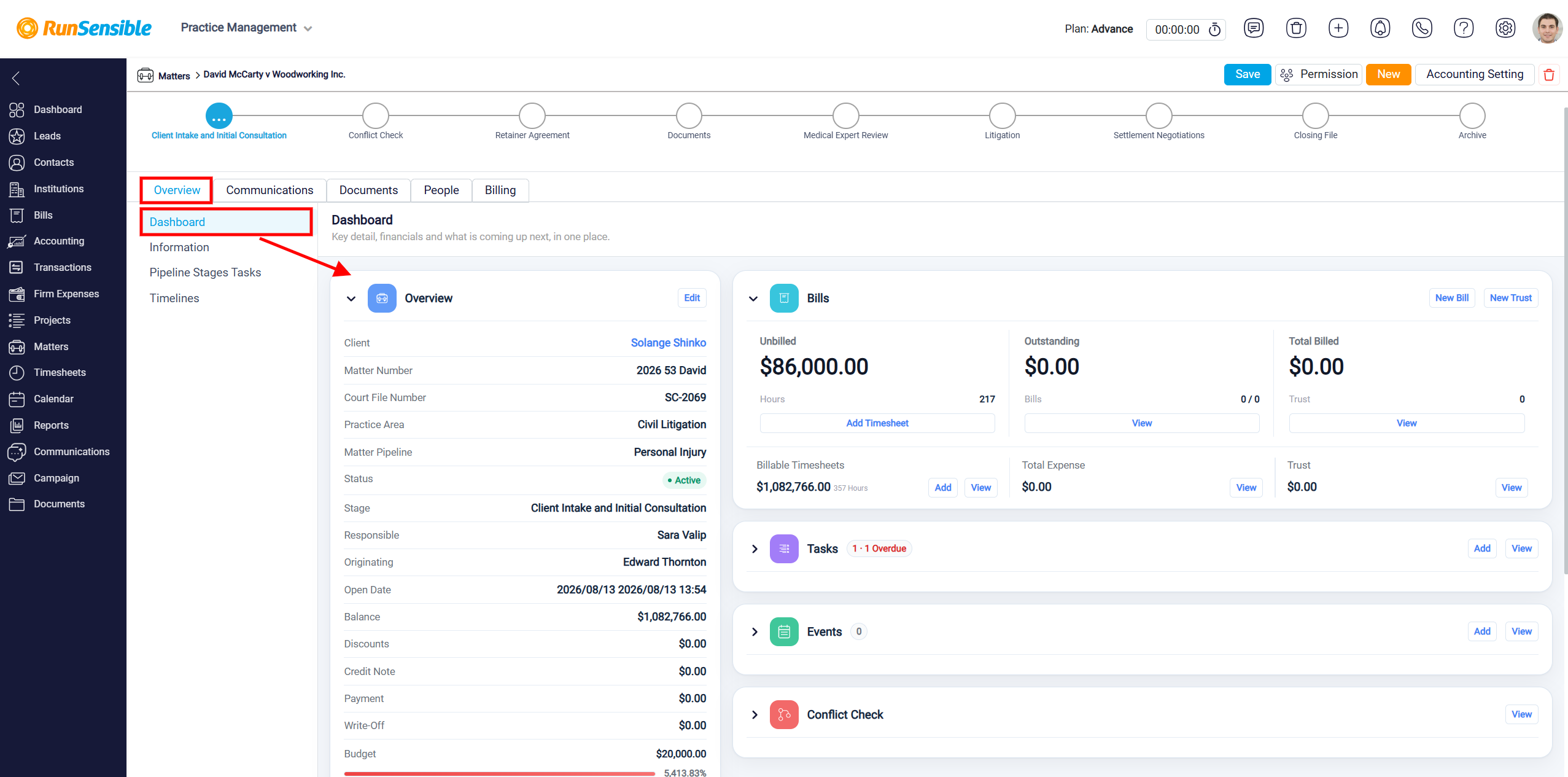
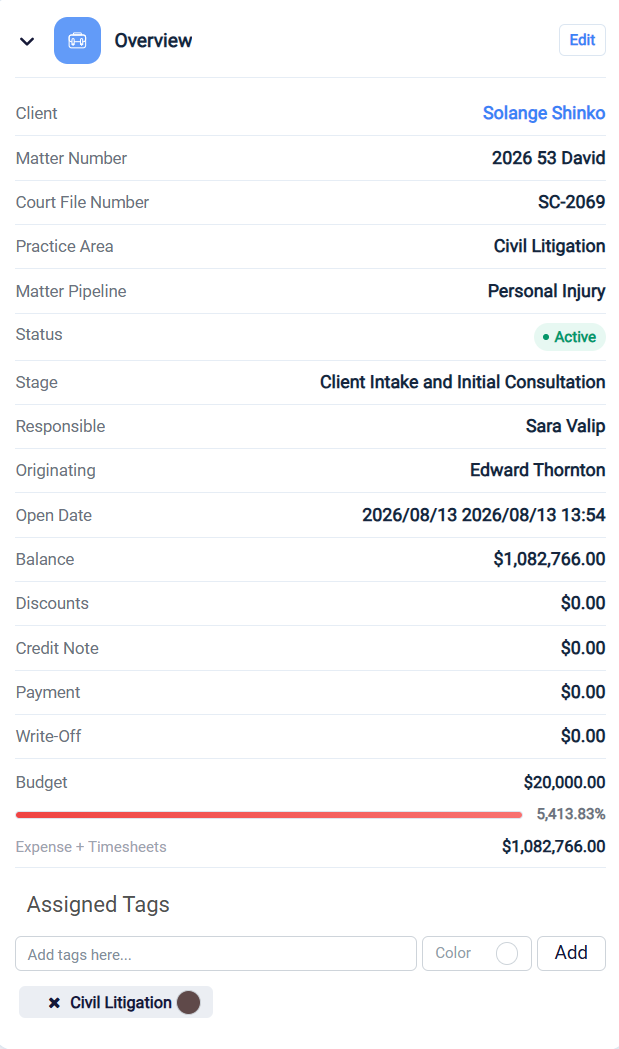
The Overview section displays essential information about the matter, including the client’s name, matter number, court file number, practice area, matter pipeline, current status, and stage. It also identifies the responsible and originating users and shows when the matter was opened. This information helps you quickly understand the matter’s current status, assigned team members, and progress without navigating through multiple pages.
The section also provides a financial summary of the matter, including the current balance, discounts, credit notes, payments, write-offs, and budget. The Budget field displays the allocated amount for the matter, along with a progress bar indicating how the recorded expenses and timesheets compare to the budget. The percentage beside the progress bar helps you identify whether the matter is approaching or exceeding its allocated budget.
At the bottom of the Overview section, the Expense + Timesheets field displays the total amount associated with recorded expenses and timesheets for the matter. This allows you to monitor the financial activity associated with the case.
Assigned Tags
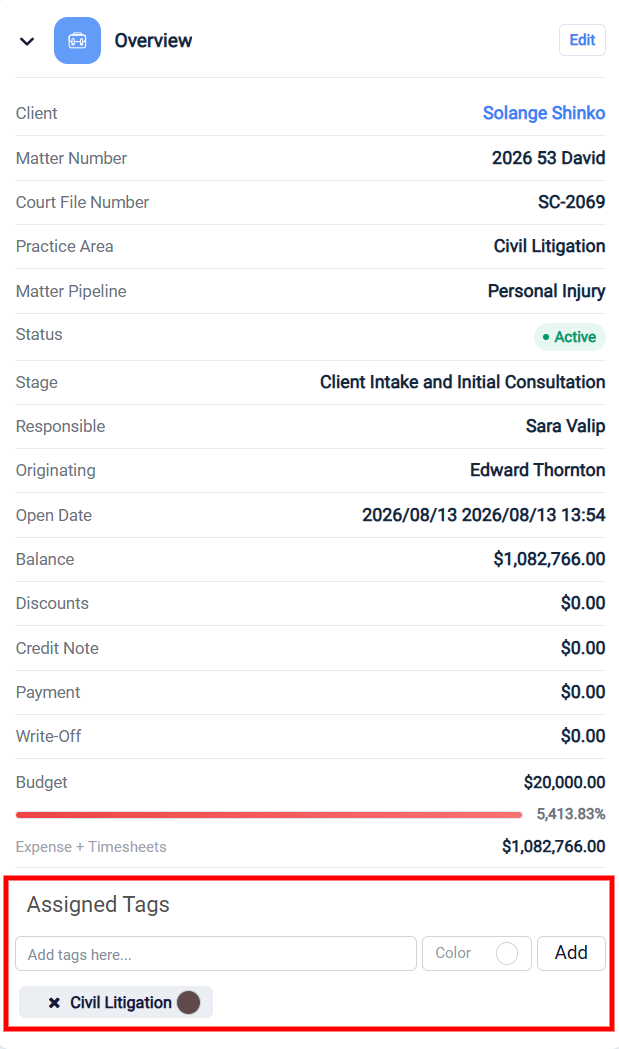
The Assigned Tags section allows you to organize and categorize matters using custom labels. Tags make it easier to identify matters based on specific characteristics, categories, or internal classifications.
To add a new tag, enter the desired name in the Add tags here field, select a color using the Color option, and click Add. The new tag will appear below the input field. You can assign multiple tags to a matter to improve organization and identification.
To remove an existing tag, click the X icon next to the tag’s name. This removes the tag from the selected matter.
To learn how to manage tags in RunSensible, please visit Tag Management.
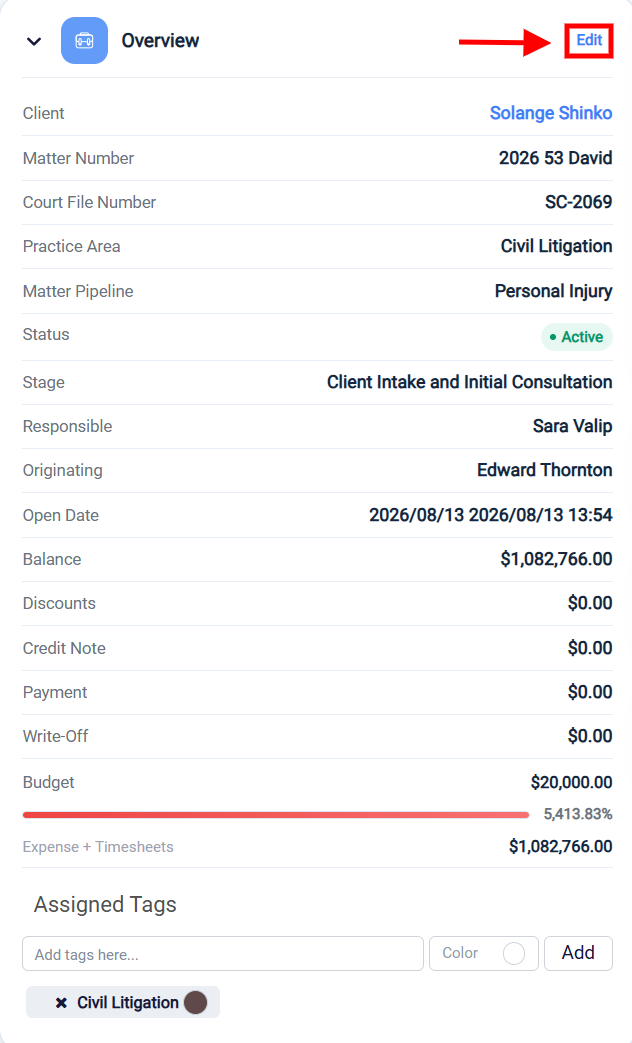
To update the matter’s information, click the Edit button in the upper-right corner of the Overview section. You can also use the arrow beside the Overview heading to expand or collapse the section, making it easier to focus on other information displayed on the Dashboard.