Scheduling Meetings with the Meet Button
To create a new event or meeting for a specific matter, open the matter and click Meet at the top of the page.
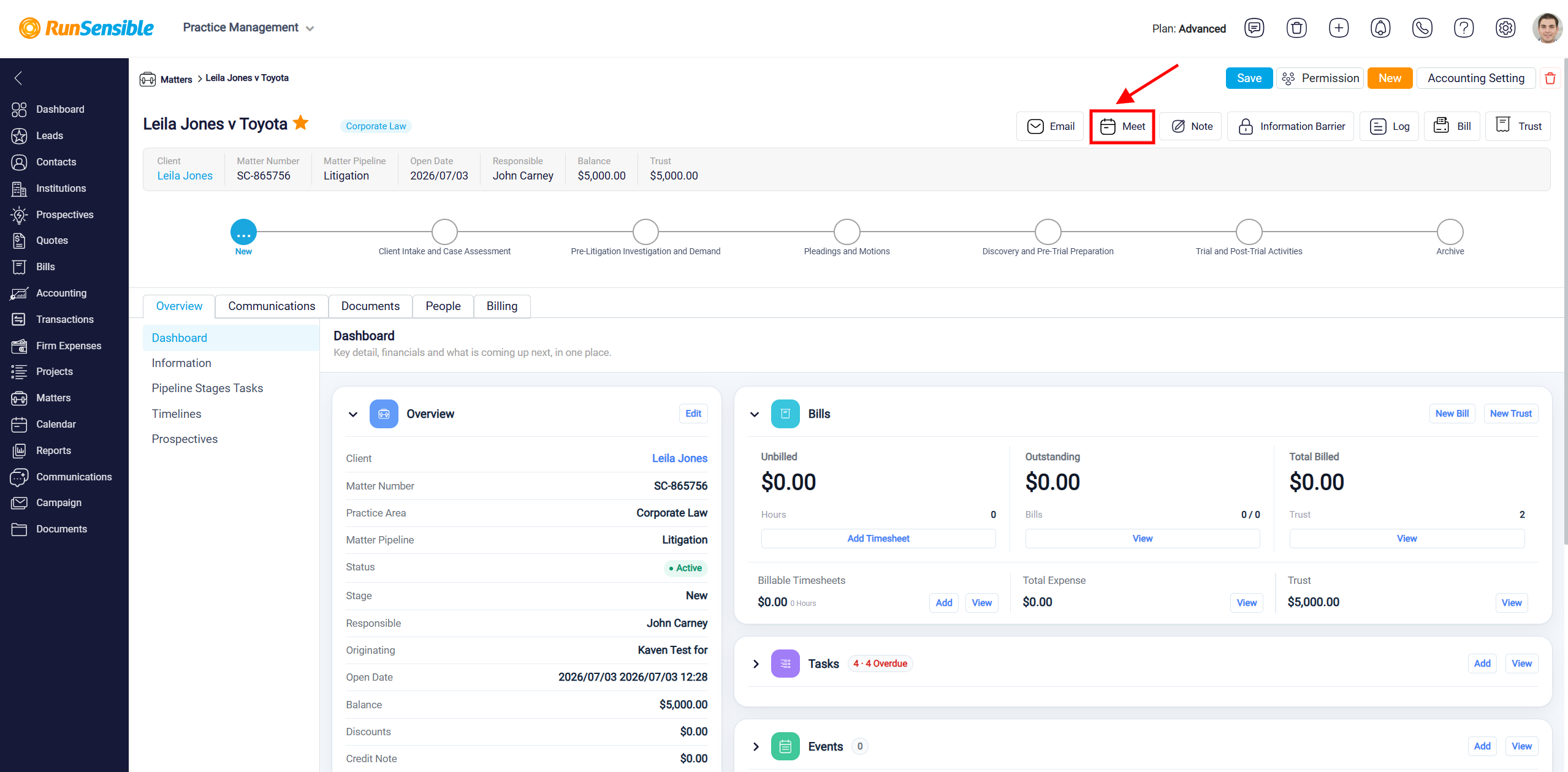
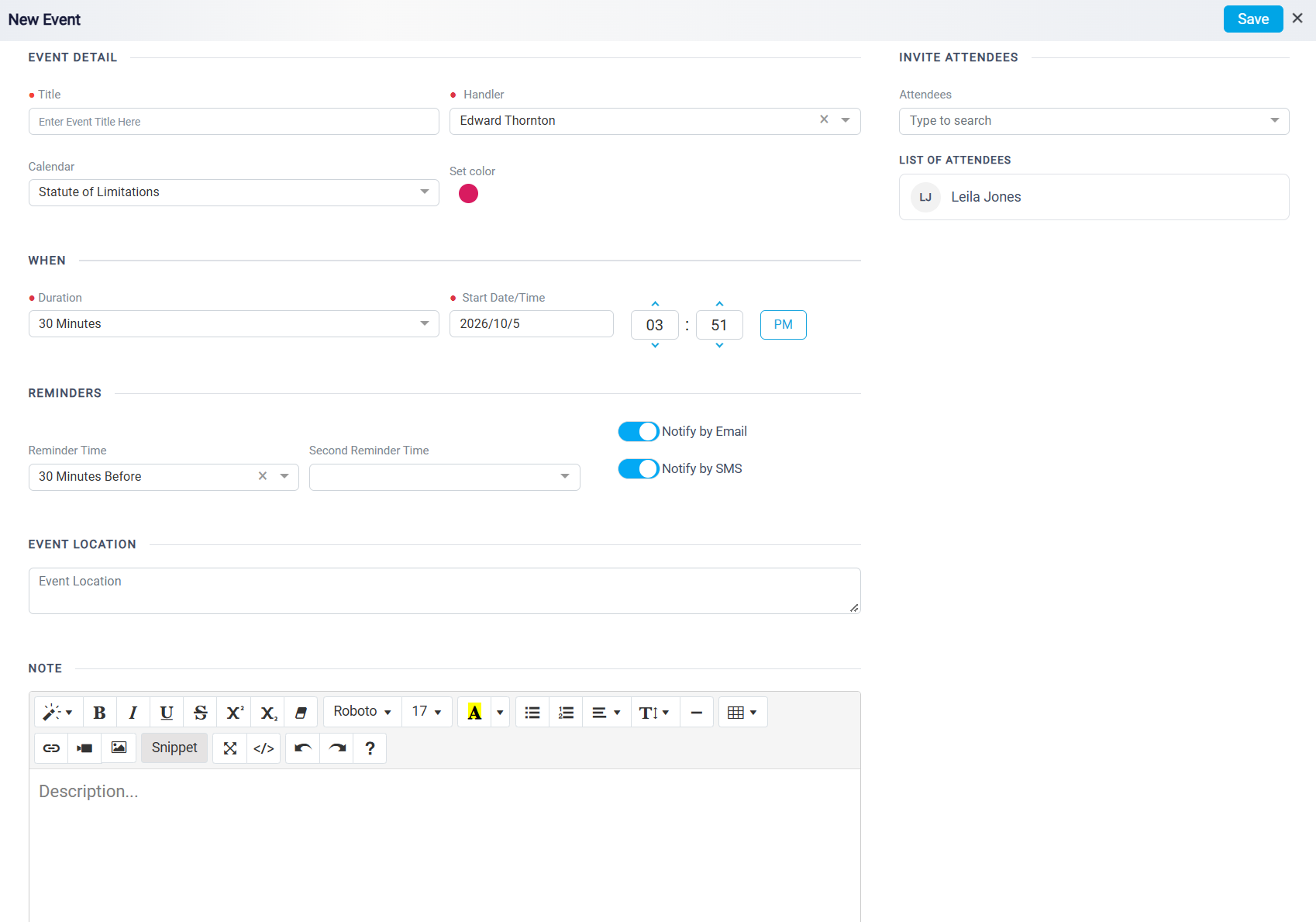
When you click this button from the Matter Details panel, the New Event panel opens. This panel allows you to schedule the meeting, enter the event details, invite attendees, set reminders, choose the correct calendar, and save the event in the system.
To learn how to add a new event, please see Adding New Event.
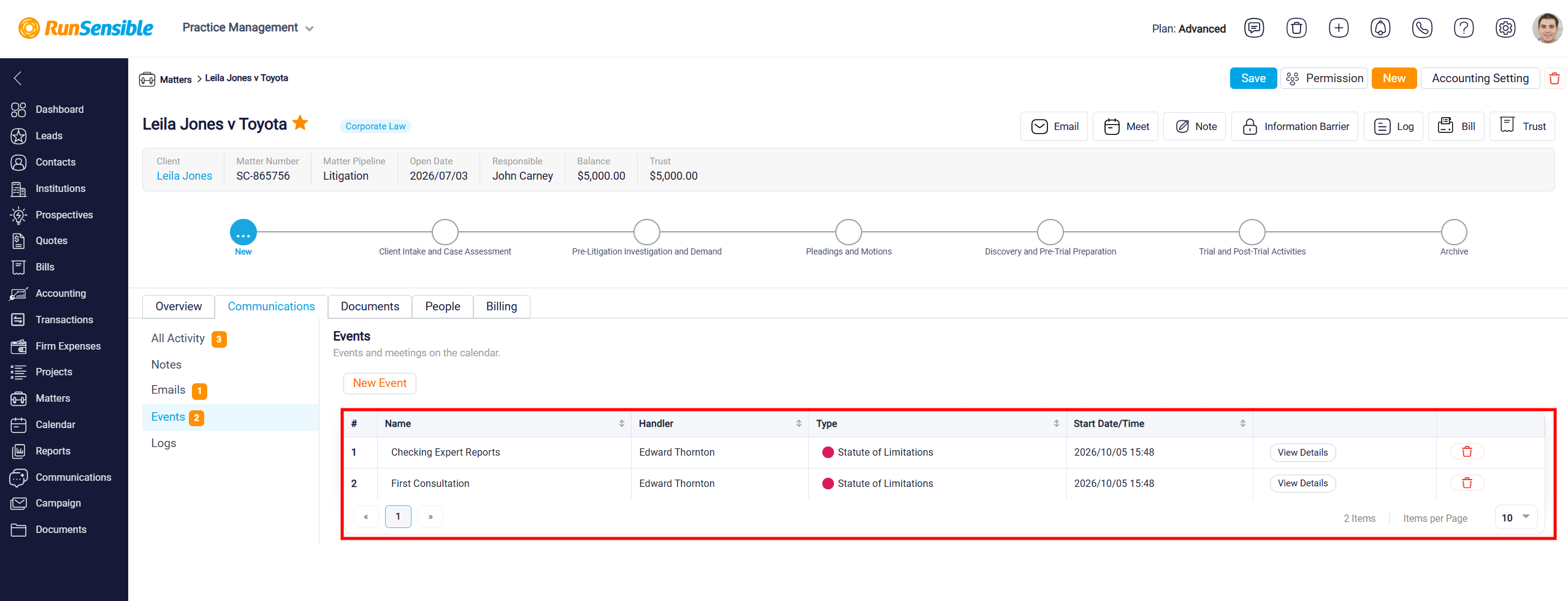
To view events and meetings associated with a matter, open the matter and select the Communications tab. From the menu on the left, click Events. The number displayed next to Events indicates how many event records are currently associated with the matter.
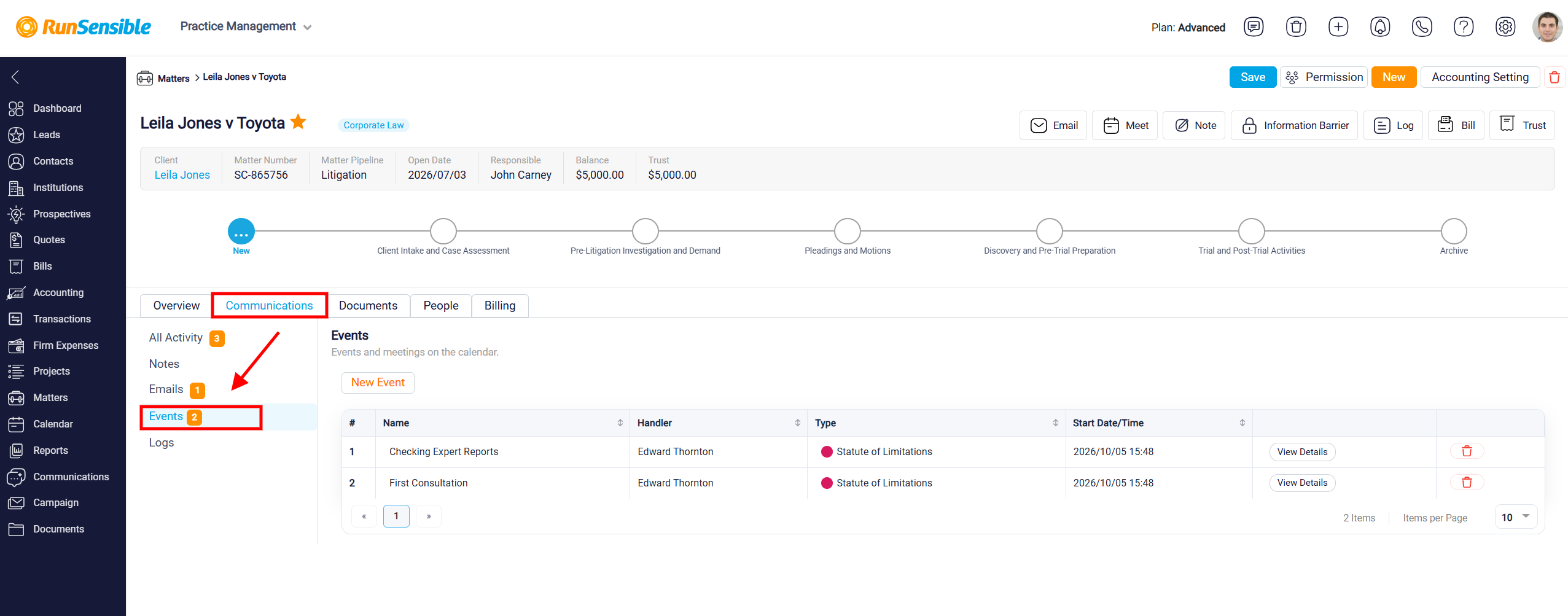
The Events section displays all events linked to the matter. For each event, you can review information such as the Name, Handler, Type, and Start Date/Time. This provides a convenient way to keep track of appointments, meetings, deadlines, and other calendar activities related to the matter.
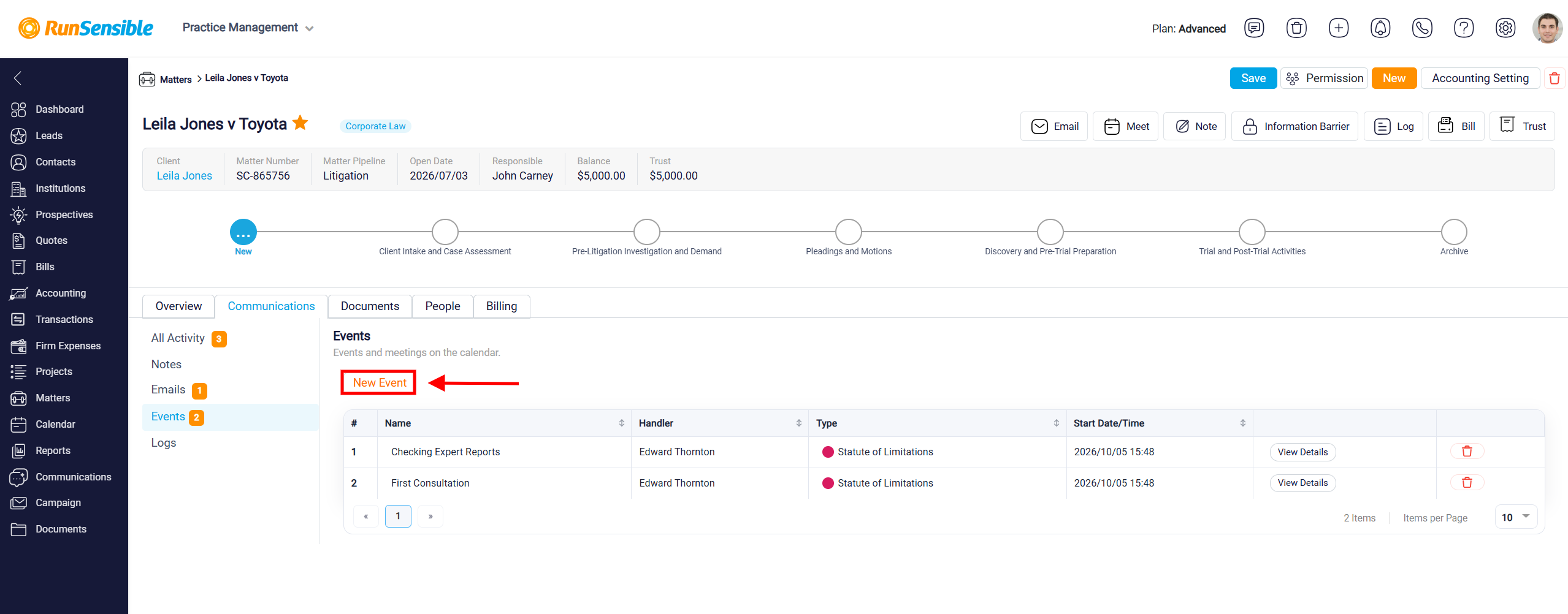
To add another event, click New Event. Enter the required event information, such as the title, handler, calendar, duration, start date and time, attendees, reminders, location, and notes, then click Save.
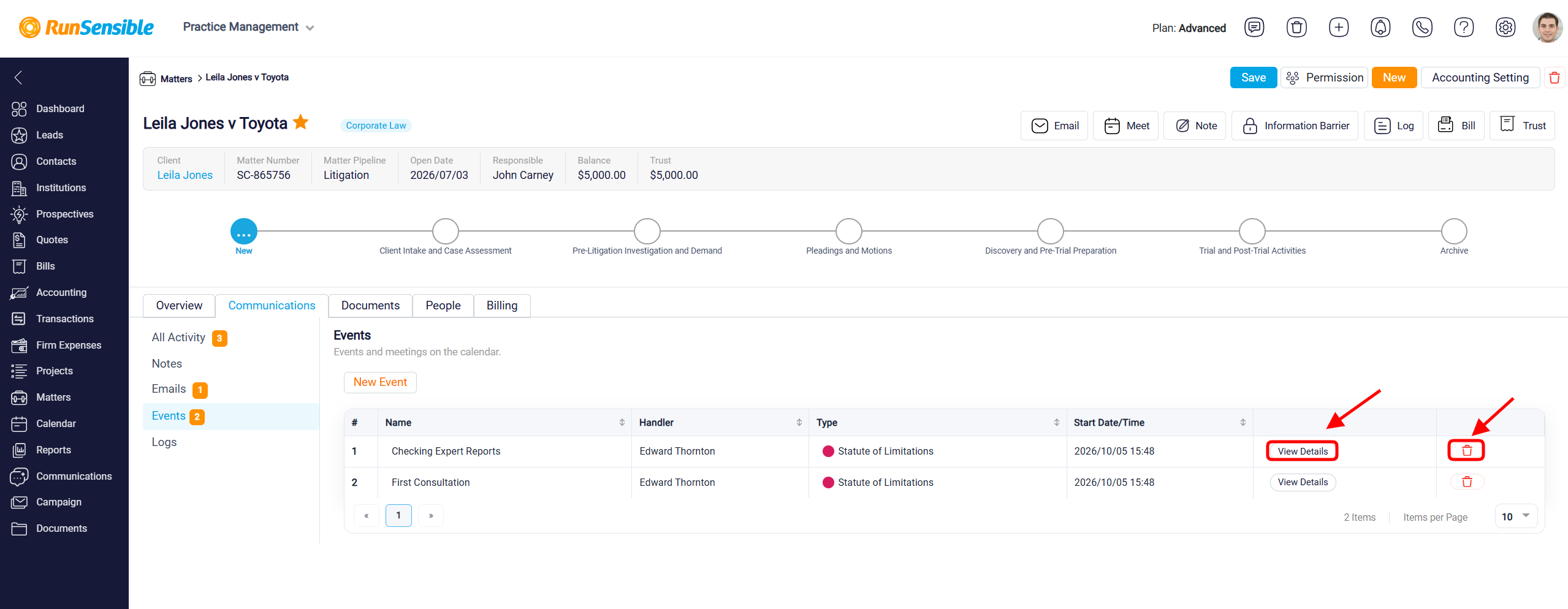
To review or update an existing event, locate it in the Events table and click View Details. This opens the event so you can review its information and make any necessary changes.
To remove an event from the matter, click the Delete icon next to the appropriate event. Make sure you have selected the correct event before deleting it.