Selecting Practice Area
Once the attorney and client information is complete, select the Practice Area for the matter. The practice area identifies the legal category that the matter belongs to. For example, a matter may fall under Corporate Law, Criminal Law, Family Adoption, or another legal category. Selecting the correct practice area helps organize the matter under the proper type of legal work.
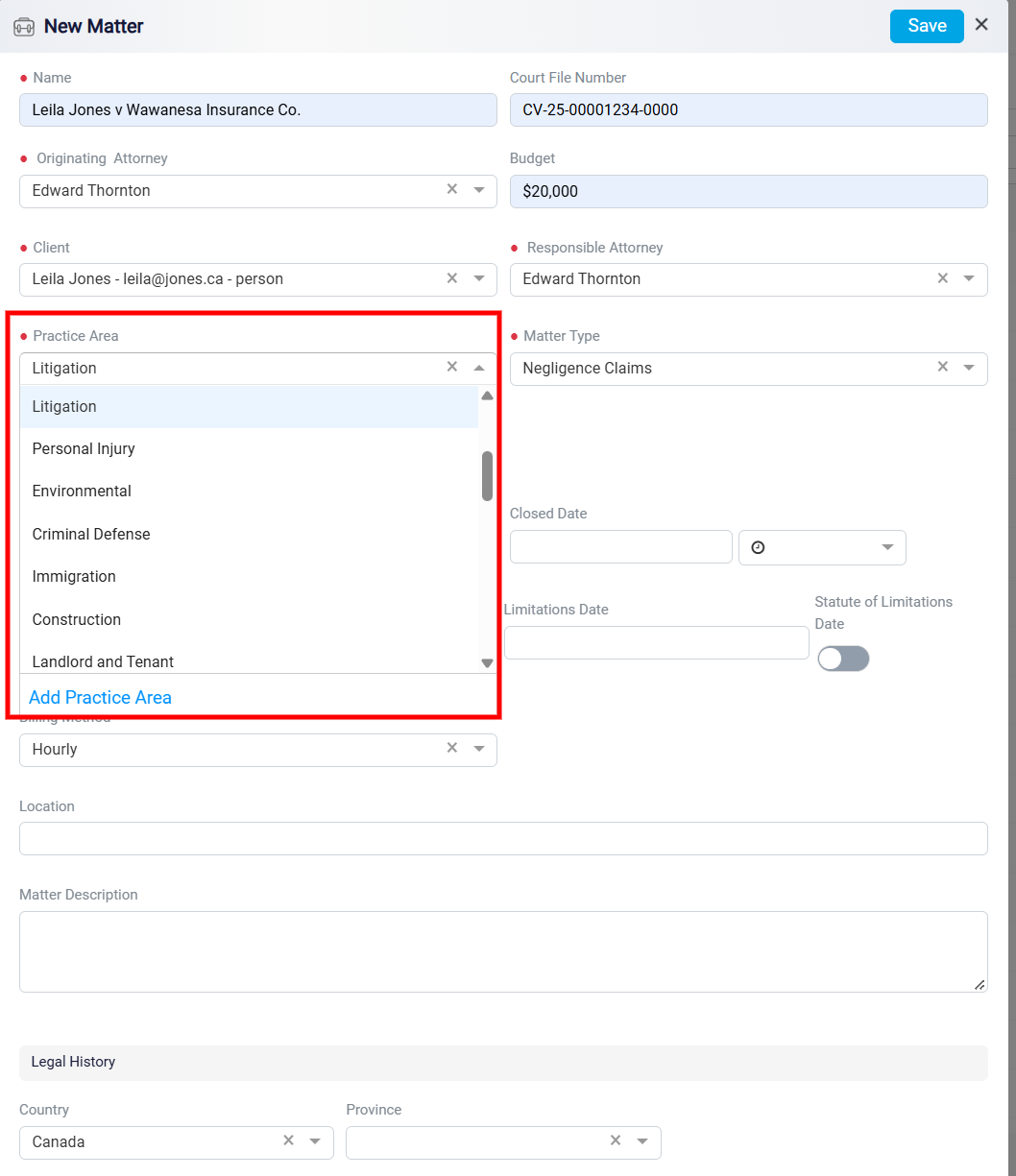
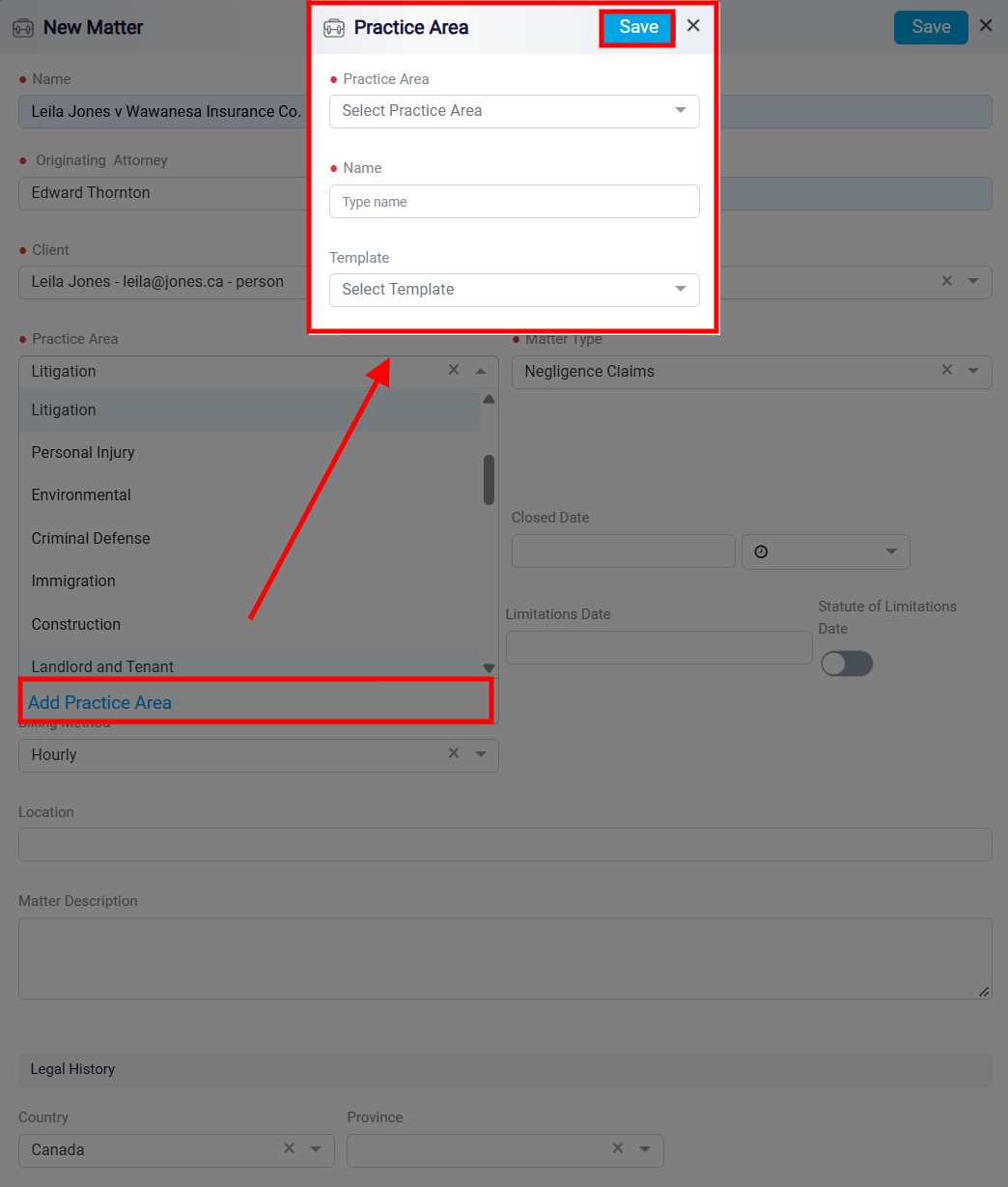
If the practice area you need is not listed, click Add Practice Area at the bottom of the Practice Area dropdown. This opens the Practice Area panel, where you can create a new practice area and connect it to the appropriate workflow.
First, select the general practice area that your new practice area should be categorized under. Click the Practice Area dropdown in the panel to view the default practice areas, then choose the one that is most similar or most closely related to the new practice area you are creating. After that, enter the new practice area name in the Name field.
Next, select the Template. After completing the required fields, save the new practice area by clicking on the Save button. Once saved, it will appear in the Practice Area dropdown and can be selected for the matter.