
Setting up an Information Barrier
The Information Barrier feature allows you to restrict a specific user from accessing a matter. A restriction denies the selected user access to the matter and overrides other access they may have through ownership, team membership, or firm-wide permissions. An Information Barrier only restricts access; it does not grant access to a matter.
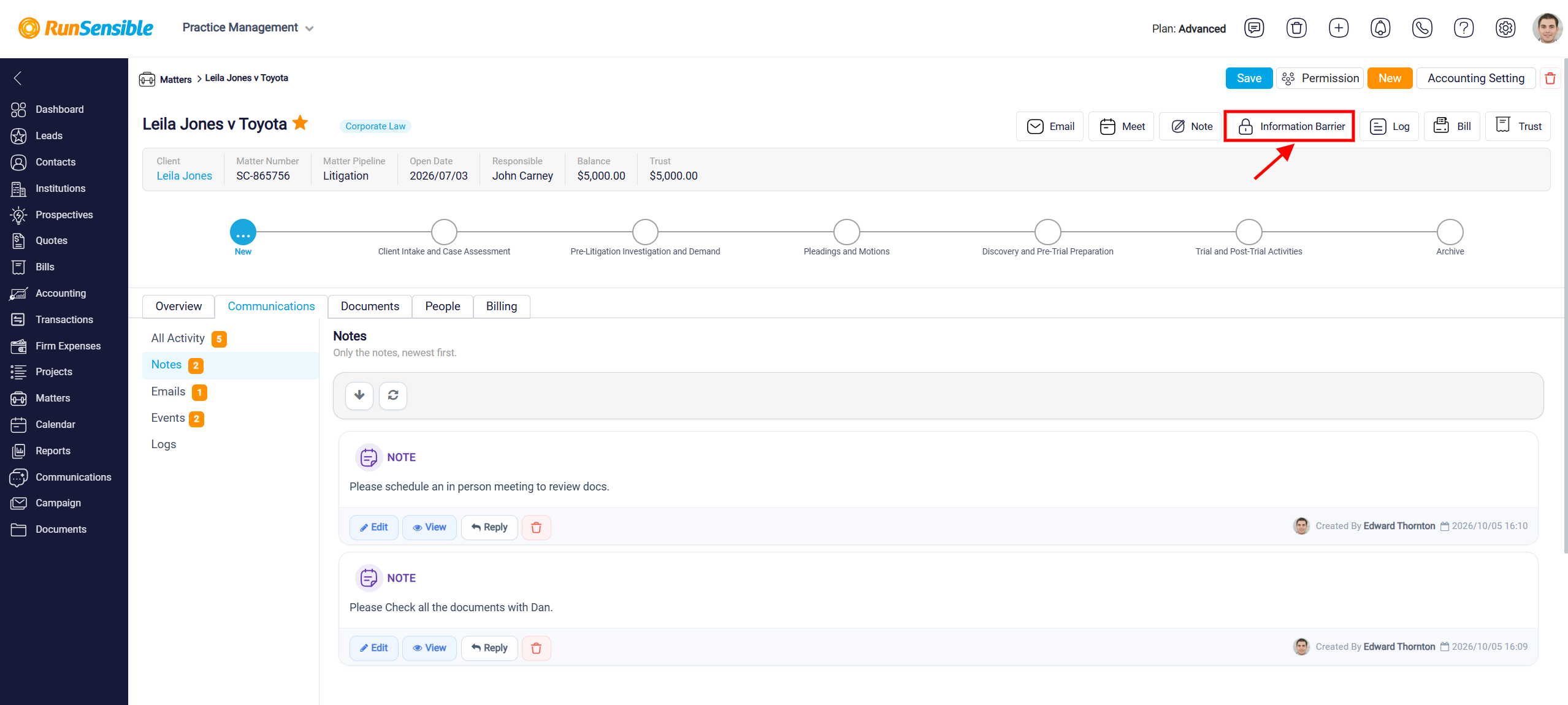
To set up an Information Barrier, open the appropriate matter and click Information Barrier at the top of the page.
The Information Barrier window will open, where you can create and manage restrictions for that matter.
Under Restrictions, select the Restricted User who should be prevented from accessing the matter. Then select the Reason for the restriction and enter the Effective From date to specify when the restriction begins. If the restriction should end on a particular date, enter an Effective To date. Leave the Effective To field empty if the restriction should remain open-ended.
Use the Notes field to record any additional information about the restriction, such as why the Information Barrier was established or other relevant internal details. After completing the required information, click Save to add the restriction. Use Cancel if you want to discard the information without saving it.
Existing restrictions are displayed at the bottom of the Information Barrier window. The table provides information such as the Restricted User, Reason, Effective From, Effective To, and Status, allowing you to review the access restrictions that have been applied to the matter.